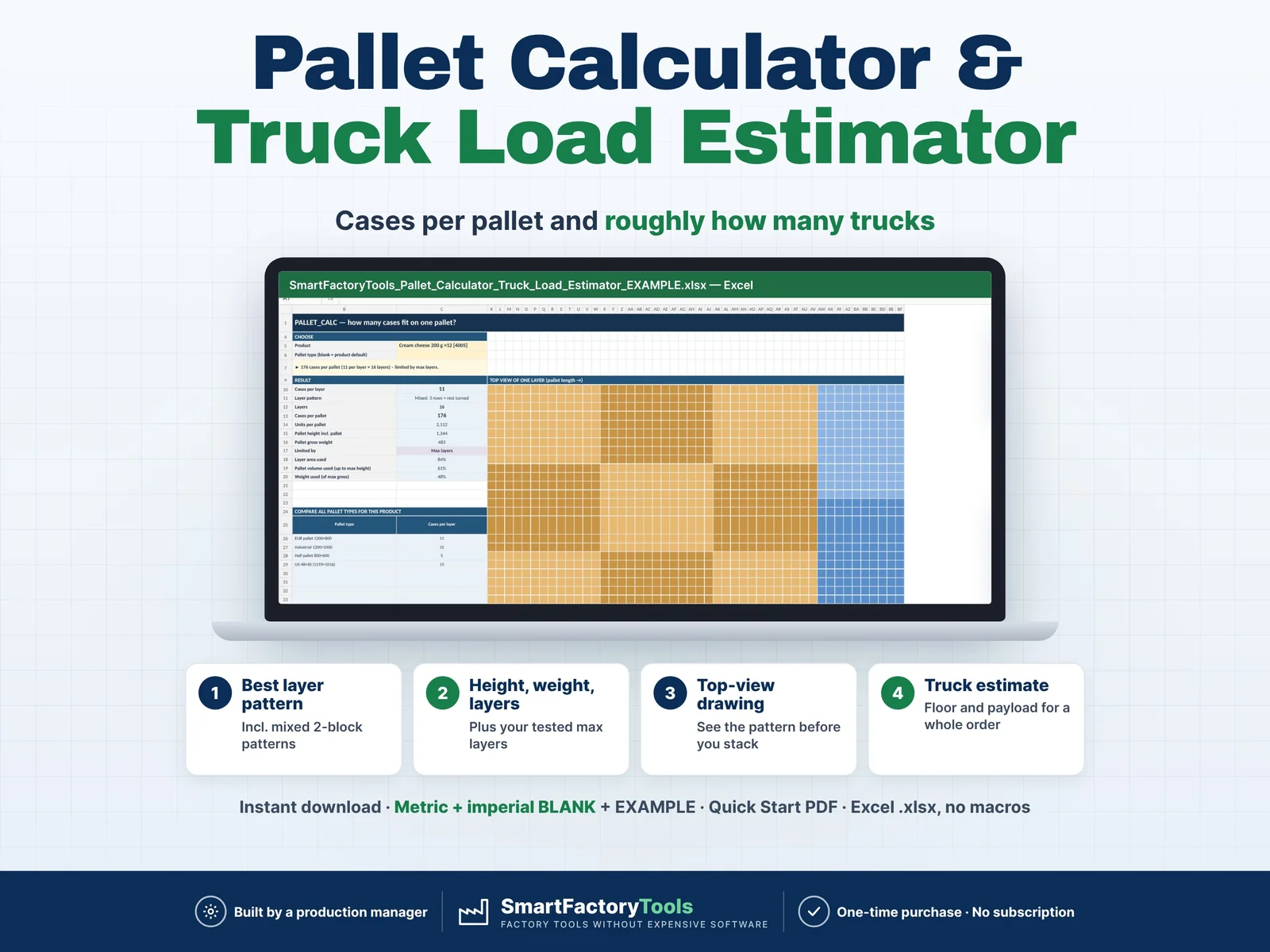
How many cases fit on a pallet, how many pallets is this order – and roughly how many trucks do we need?
- Best layer pattern, incl. mixed 2-block patterns
- Height, weight and layers – plus your tested max layers
- Truck estimate (floor and payload) for a whole order
- Instant download: Metric + imperial BLANK + EXAMPLE · Quick Start PDF
- Built by a production manager · one-time purchase, no subscription, no macros
▶ Requires Microsoft Excel 2016 or newer on a computer (Windows or Mac). Not for Google Sheets, Apple Numbers or mobile apps.
Dispatch, planning and sales ask the same questions every day. Free online pallet calculators handle one case on one pallet. This Excel tool keeps all your products, pallets and trucks in one file: the best layer pattern for every case, layers limited by height, weight and your tested max layers, a pallet spec table for all products – and a planning estimate of pallets and trucks for a whole order. Built by a production manager who ships full trucks every day.
WHAT IT DOES
- Best layer pattern: all cases lengthwise, all turned 90°, or a mixed 2-block pattern – whichever fits most
- Layers limited by max load height, max gross weight and your TESTED max layers per product (stability / compression)
- Cases and units per pallet, pallet height and gross weight, area / volume / weight used, "limited by"
- Top-view drawing of one layer
- Compare all pallet types for one product (EUR, industrial, half, US 48×40 …)
- Optional overhang per side and layer pad (tier sheet) thickness
- Truck estimate for an order of up to 25 lines (cases or units): full and part pallets, floor positions, double stacking where allowed, payload used, estimated trucks needed
- Quick table: pallet spec of all products for one pallet type – print it for dispatch and customer service
- Clear flags: stability not checked, mixed pallet types (estimate), pallet higher than the truck, input problems
WHAT'S INCLUDED (ZIP)
- SmartFactoryTools_Pallet_Calculator_Truck_Load_Estimator_v1.0_BLANK_metric.xlsx – mm / kg, presets: EUR, industrial, half and US pallets; 13.6 m trailer, 7.2 m truck, 20 / 40 ft containers
- SmartFactoryTools_Pallet_Calculator_Truck_Load_Estimator_v1.0_BLANK_imperial.xlsx – in / lb, presets: GMA 48×40 and others; 53 ft and 48 ft trailers, box truck, containers
- SmartFactoryTools_Pallet_Calculator_Truck_Load_Estimator_v1.0_EXAMPLE.xlsx – fictional dairy & desserts plant: 24 products, an order of 9 lines
- Quick_Start_Guide.pdf – 2 pages
Sheets: START_HERE · SETUP · PRODUCTS · PALLET_CALC · TRUCK_ESTIMATE · QUICK_TABLE · FAQ · LICENSE
HOW IT WORKS
- SETUP: your pallet types and trucks / containers (inner dimensions, payload, double stacking)
- PRODUCTS: outer case size, gross weight, units per case, your tested max layers
- PALLET_CALC: choose a product – pattern, layers, cases per pallet, height, weight, drawing
- TRUCK_ESTIMATE: choose the truck, enter the order – pallets, floor, payload, estimated trucks
Yellow cells are your input. Everything else is calculated and protected (no password).
WHO IT'S FOR
Dispatch and logistics leads, production planners, warehouse managers and sales back-office in small manufacturers and distributors – food and dairy, beverages, packaging, cosmetics, household goods, spare parts.
IMPORTANT LIMITS – PLEASE READ
- This is a PLANNING tool, not load-planning or 3D optimisation software. Results are calculated maximums and estimates – not a guarantee of fit, load capacity, stability or safety.
- Layers are calculated from size, height and weight. They are NOT a stability or compression test: enter the number of layers you have tested (or your customer's rule) as max layers.
- Trucks: pallet floor positions per pallet type; mixed pallet types and part pallets are added up as shares of the floor. It does not prove that a specific mix physically fits and does not check axle loads, weight distribution, load securing or the loading order. Always confirm the physical load plan with your loading team or carrier.
- One product per pallet, rectangular cases standing upright (no laying on the side), one unit system per file (no conversion).
- 150 products · 10 pallet types · 10 trucks / containers · 25 order lines. No VBA / macros.
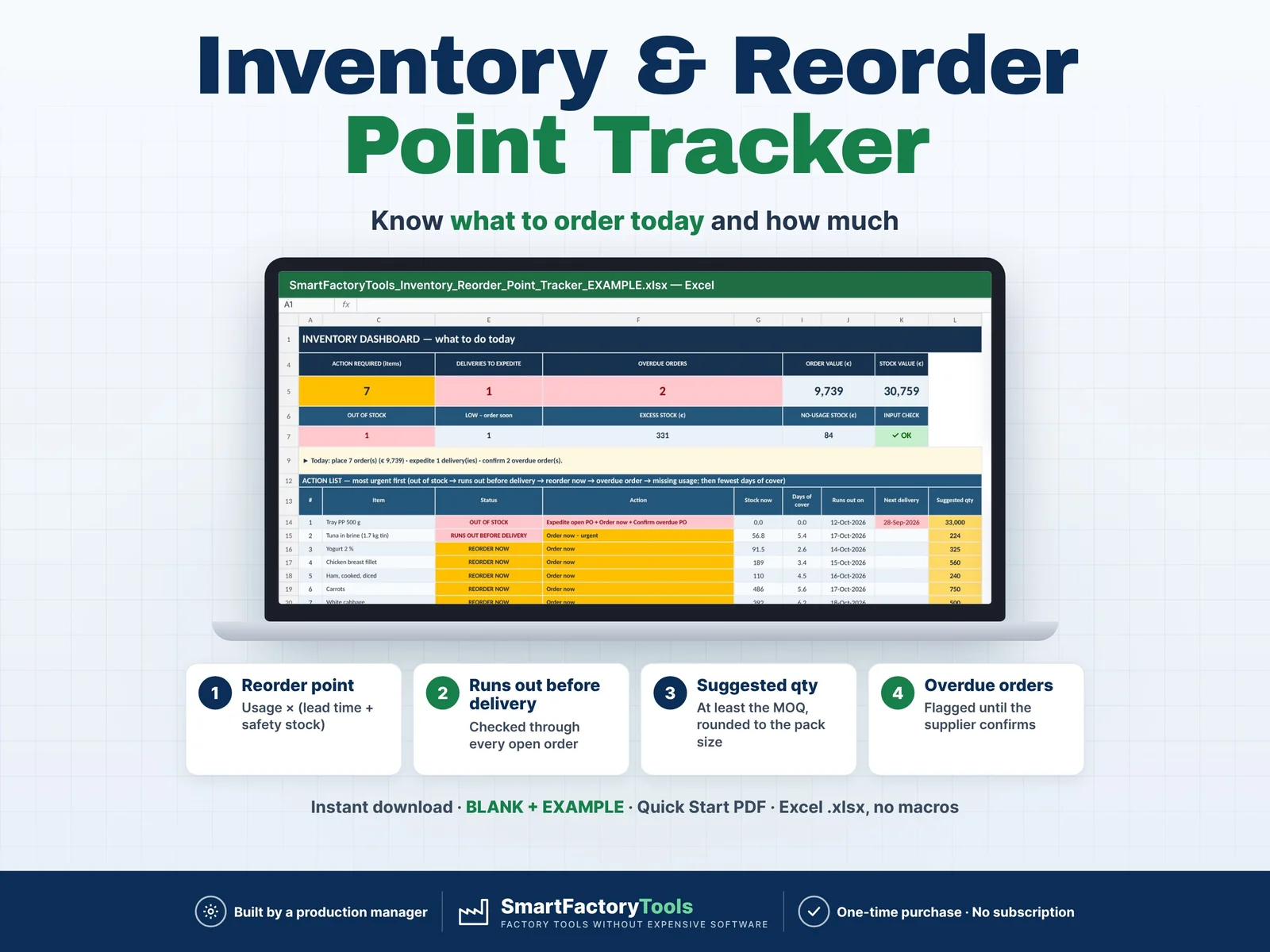
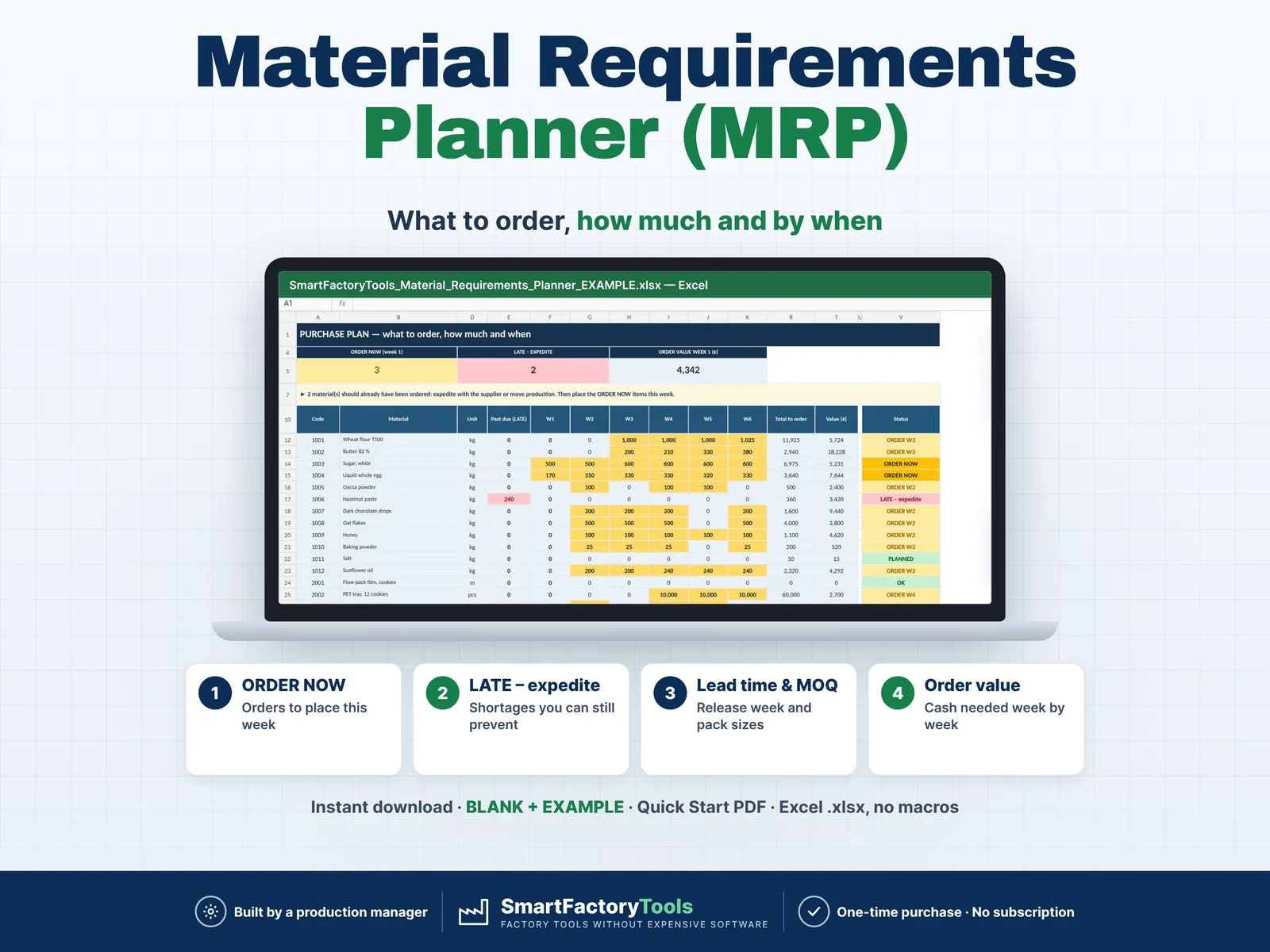
Related SmartFactoryTools templates: Inventory & Reorder Point Tracker, Material Requirements Planner (MRP), Weekly Production Schedule & Gantt Planner.
FAQ
Why does a 13.6 m trailer show 34 EUR pallets?
34 fit when the last rows are turned. If your carrier loads 33, enter the inner length as 13,200 mm.
Can a case lie on its side?
Add it as a second product with the other height.
Metric or imperial?
Both BLANK files are included. Use one unit system per file.
Is it a load plan I can give to the driver?
No – it is a planning estimate. Confirm the physical load plan with your loading team or carrier.
Can I use it in Google Sheets?
No. It is built and tested for Microsoft Excel 2016 or newer on a computer.
DIGITAL DOWNLOAD
This is a digital product – nothing is shipped. After purchase, download the ZIP from Etsy (Purchases and reviews) on a computer, unzip it and open a BLANK or the EXAMPLE file in Excel.
LICENSE
For use in your own company or organization (any number of sites and users). Reselling, sharing or uploading the template elsewhere is not permitted. © SmartFactoryTools · SKU SFT-LOAD-01
 Inventory & Materials