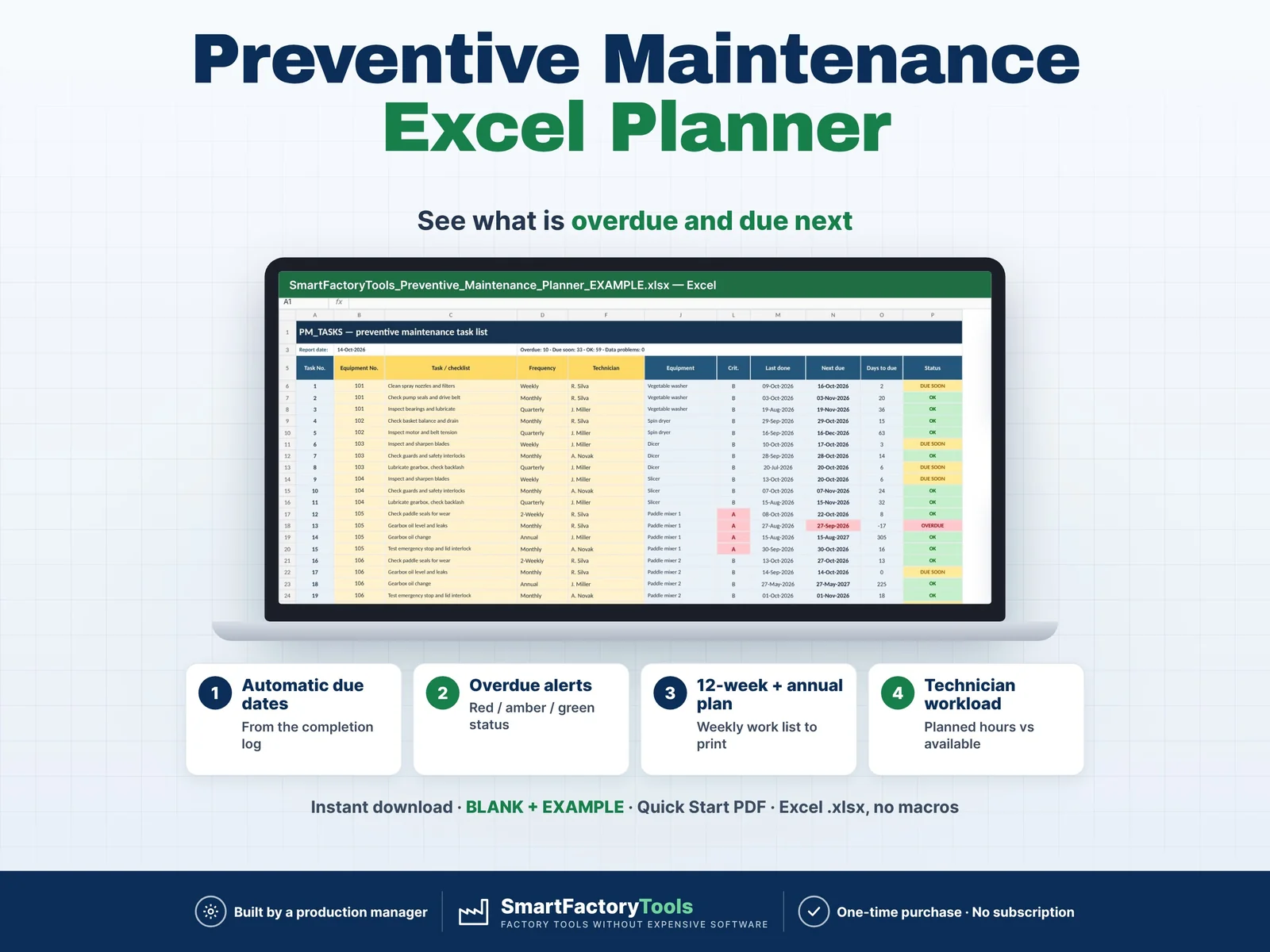
Log what was done — Excel calculates every next due date and shows what is overdue, what is due this week, who has too much work and your PM compliance %.
- Next due dates calculated from the completion log
- Overdue alerts with red / amber / green status
- 12-week and annual plan, weekly work list to print
- Instant download: BLANK + EXAMPLE · Quick Start PDF
- Built by a production manager · one-time purchase, no subscription, no macros
▶ REQUIRES MICROSOFT EXCEL (DESKTOP) 2016 OR NEWER — Windows or Mac.
Not for Google Sheets, Apple Numbers or mobile apps.
The SmartFactoryTools Preventive Maintenance Planner is made for small and mid-size plants that plan maintenance without a CMMS. Stop keeping PM in paper lists and calendars: list your equipment and tasks once, log each completion — and the plan, the overdue list and the audit records update themselves.
No macros. No subscription. Built by a production manager who works in an audited food plant.
WHAT IT DOES
- Next due date for every task = last completion + frequency (calendar months for monthly, quarterly, annual)
- Status for every task: OVERDUE · DUE SOON · OK — overdue tasks on critical (A) equipment counted separately
- Ready-made frequencies (Daily, Weekly, 2-Weekly, Monthly, 2-Monthly, Quarterly, 6-Monthly, Annual) + up to 15 of your own
- Tolerance days per frequency — completions inside the tolerance count as "on time"
- Equipment register with your own machine numbers (e.g. from your ERP), area, criticality A / B / C
- Automatic Task No. — technicians log completions by number
- PLAN_12W: every task over the next 12 weeks, overdue work planned first
- WEEK_LIST: printable weekly work list per technician with Done / Date / Initials / Notes columns
- YEAR_PLAN: annual maintenance plan — past months show what was done, coming months what is planned, PM hours and shutdown hours per month (filter tasks that need a shutdown)
- WORKLOAD: planned PM hours per technician per week and per month vs available hours — overloaded weeks in red
- DASHBOARD: overdue, due soon, PM compliance (30 days and by month), top 10 overdue tasks, by area and criticality, issues found
- "Not done" results with a reason (e.g. no shutdown window) — kept as a record, task stays overdue
- Data checks: unknown equipment, invalid frequency, missing first due date, unknown task numbers, future dates
WHAT'S INCLUDED (ZIP)
- BLANK workbook — ready for your plant
- EXAMPLE workbook — fictional food plant: 35 machines, 104 PM tasks, 6 months of completion history
- Quick Start Guide (PDF, 2 pages)
Sheets: START_HERE · SETUP · EQUIPMENT · PM_TASKS · PM_LOG · PLAN_12W · WEEK_LIST · WORKLOAD · YEAR_PLAN · DASHBOARD · FAQ · LICENSE
HOW IT WORKS
- List your equipment and technicians (with their PM hours per week)
- Add PM tasks: what to do, how often, minutes, technician, first due date
- Print the weekly work list — technicians tick off the tasks
- Log each completion (date + Task No.) — next due dates, plans and dashboard update instantly
Due dates are never typed by hand — so they can't drift or be forgotten.
WHO IT'S FOR
Maintenance managers and planners · Plant and production managers · Engineering teams · Quality and audit teams (IFS, BRC, FSSC, ISO — planned maintenance records) · Food, packaging, plastics, metal and assembly plants · Any site without a CMMS.
LIMITS
- Calendar-based preventive maintenance (days / months). Run-hour or meter-based triggers are not included (FAQ shows a workaround)
- Plans and records PM — it is not a full CMMS: no breakdown work orders, spare parts, costs or e-mail reminders
- Up to 150 equipment · 500 PM tasks · 5,000 completion records · 15 technicians
- Fully editable inputs. Need it set up with your data or adapted to your plant? See the Setup & Customization section in our shop.
FAQ
Q: Does it work in Google Sheets or on an iPad?
A: No. It is built and tested for Microsoft Excel 2016 or newer on Windows or Mac desktop.
Q: A task was done late — what happens?
A: The completion is marked "Late" and the next due date is counted from the day it was actually done.
Q: Do I need a new file every year?
A: No. One file runs continuously; the plans always look ahead from today. A yearly archive copy is optional (explained in the FAQ sheet).
Q: Can I use our own machine numbers?
A: Yes — numbers or text, e.g. the asset numbers from your ERP.
Q: Is the file locked?
A: Formulas are protected against accidental changes, without a password. Your input cells are always editable.
DIGITAL DOWNLOAD
This is a digital product. No physical item will be shipped. After purchase, download the ZIP from your Etsy account on a computer, unzip it and open the workbook in Excel.
LICENSE
For use within your own company or organisation. Resale, sharing or redistribution of the template is not permitted.
© SmartFactoryTools
 Maintenance