Track every corrective and preventive action from problem to verified closure — and be ready for your next audit.
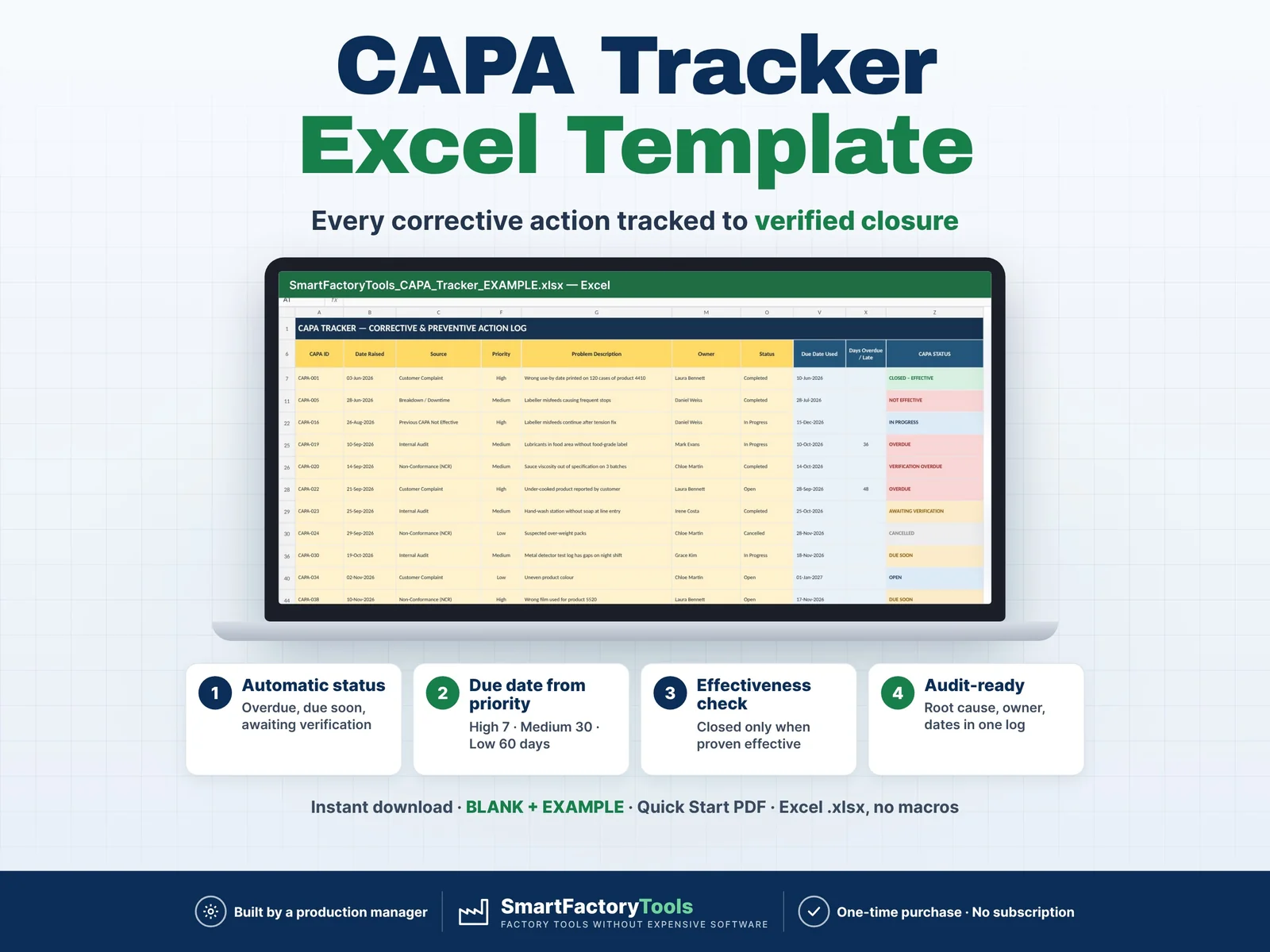
- Automatic status: overdue, due soon, awaiting verification
- Due date from priority: High 7 · Medium 30 · Low 60 days
- Closed only after the effectiveness check
- Instant download: BLANK + EXAMPLE · Quick Start PDF
- Built by a production manager · one-time purchase, no subscription, no macros
▶ REQUIRES MICROSOFT EXCEL (DESKTOP) 2016 OR NEWER — Windows or Mac.
Not for Google Sheets, Apple Numbers or mobile apps.
The SmartFactoryTools CAPA Tracker is a practical Excel register for quality managers, QA/QC coordinators and production managers who need to show auditors that problems are not only fixed, but fixed for good.
Log each problem once. The workbook calculates due dates, overdue actions, verification dates and the status of every CAPA automatically — so your follow-up list is always up to date.
No macros. No subscription. No complicated quality software.
WHAT IT DOES
- One register for CAPAs from any source: internal and external audits, customer complaints, non-conformances (NCR), supplier issues, breakdowns, safety near misses, process deviations, management review
- Problem, containment, root cause (6M), corrective action, preventive action, owner — in one row
- Due date set automatically from priority (High 7 · Medium 30 · Low 60 days — editable), or type your own
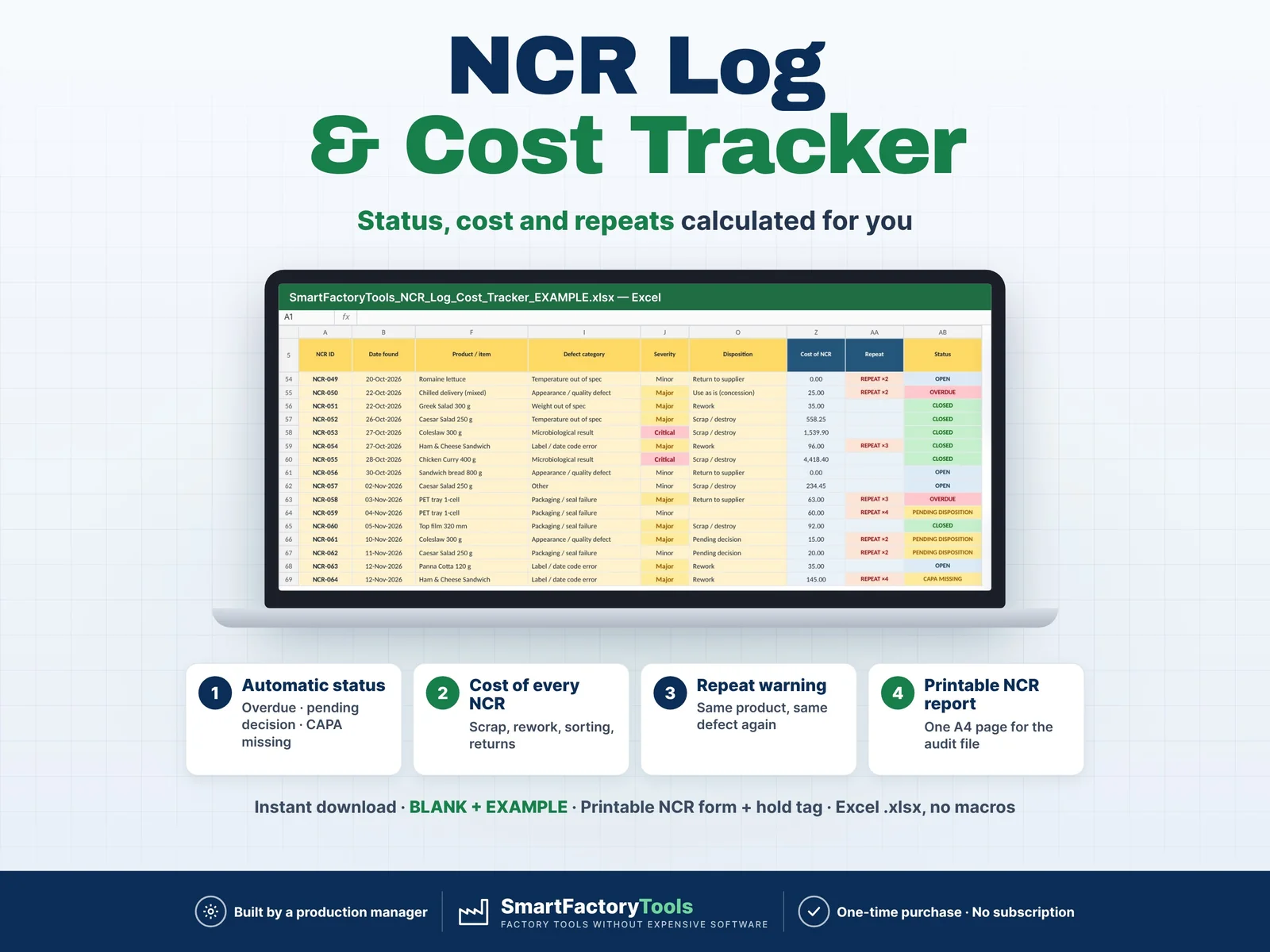
- Automatic CAPA STATUS: OPEN · IN PROGRESS · DUE SOON · OVERDUE · AWAITING VERIFICATION · VERIFICATION OVERDUE · CLOSED – EFFECTIVE · NOT EFFECTIVE · CANCELLED
- Effectiveness check: verification due date, result, verified by, date
- Days open, days overdue / late and closed on time — calculated for you
- Built-in Data Check on every row: missing fields, duplicate IDs, dates in the wrong order, completed CAPAs without a root cause
- "Next free ID" suggestion so CAPA numbers stay unique
DASHBOARD
- KPIs: total, open, overdue, due soon, awaiting verification, closed – effective
- Closed on time %, effectiveness rate %, average days to complete, oldest open action
- Open actions by owner — who to chase
- CAPAs by source and by department / area
- Root cause by 6M category (Man, Machine, Method, Material, Measurement, Environment)
- Ageing of open actions (0–30 / 31–60 / 61–90 / >90 days)
- Last 12 months: raised vs completed, open at month end
- Top 10 overdue actions
- 4 charts
PRINTABLE CAPA RECORD
Choose a CAPA ID and get a one-page record (A4 / Letter) with problem, containment, root cause, actions, completion, effectiveness verification and sign-off lines — ready for your audit file.
WHAT'S INCLUDED (ZIP)
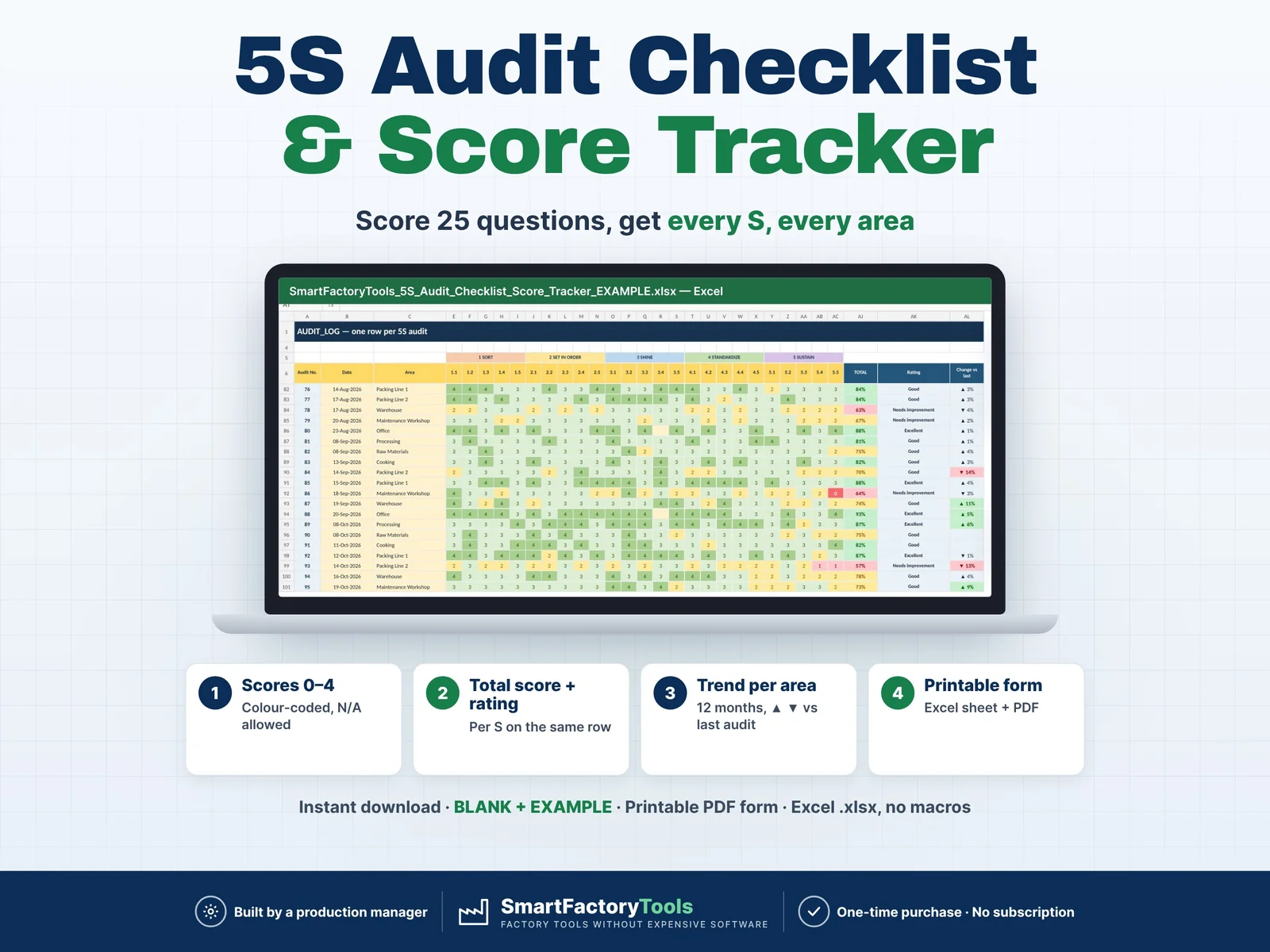
- BLANK workbook — ready for your data
- EXAMPLE workbook — 40 fictional CAPAs so you see every status and chart
- Quick Start Guide (PDF, 2 pages)
Workbook sheets: START_HERE · SETUP · CAPA_LOG · CAPA_REPORT · DASHBOARD · FAQ · LICENSE
HOW IT WORKS
- SETUP — enter your owners and check the lists of sources and areas (about 2 minutes)
- CAPA_LOG — add one row per problem in the yellow cells; update status and dates as work progresses
- DASHBOARD / CAPA_REPORT — review who to chase and print records for the audit file
Yellow cells = your input. Light blue cells = automatic formulas (protected against accidental changes, no password).
WHO IT'S FOR
Quality managers · QA / QC coordinators · Production and plant managers · Food safety and HACCP teams · Continuous improvement teams · Small and medium manufacturers in food, packaging, assembly, plastics, metal and more.
Helps you keep the CAPA records auditors ask for under ISO 9001, IATF 16949, IFS, BRCGS, FSSC 22000, SQF and GMP systems. It supports your quality system — it does not by itself make you compliant with any standard.
LIMITS
- Up to 500 CAPAs per file, 50 owners, 30 areas, 20 sources
- No e-mail reminders, approval workflow or multi-user tracking
- No file attachments (use the Evidence / Notes column to say where evidence is stored)
- Filters work on the protected log; sorting is not supported
- Fully editable inputs. Need it set up with your data or adapted to your plant? See the Setup & Customization section in our shop.
FAQ
Q: Does it work in Google Sheets or on an iPad?
A: No. It is built and tested for Microsoft Excel 2016 or newer on Windows or Mac desktop.
Q: Can I change the owners, sources and departments?
A: Yes — all lists are editable in SETUP.
Q: What happens when an action is not effective?
A: The row turns red as NOT EFFECTIVE. You raise a follow-up CAPA with source "Previous CAPA Not Effective".
Q: Is the file locked?
A: Formulas are protected against accidental changes, without a password. Your input cells are always editable.
Q: Is there sample data?
A: Yes. The EXAMPLE file contains 40 fictional CAPAs. The BLANK file is ready for your own data.
DIGITAL DOWNLOAD
This is a digital product. No physical item will be shipped. After purchase, download the ZIP from your Etsy account on a computer, unzip it and open the workbook in Excel.
LICENSE
For use within your own company or organisation. Resale, sharing or redistribution of the template is not permitted.
© SmartFactoryTools
 Lean & Continuous Improvement