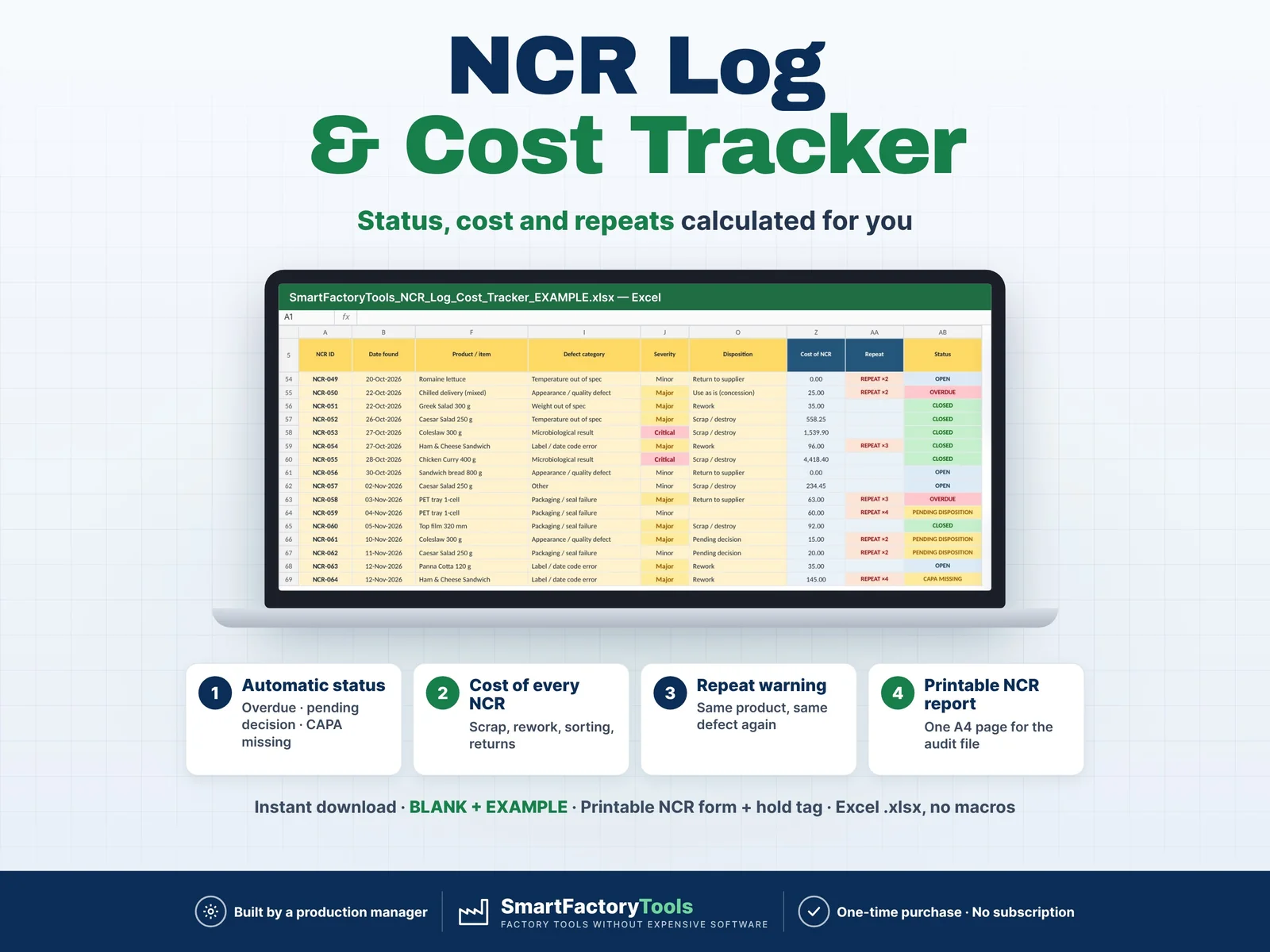
Track every non-conforming product in one Excel log – status, target date, cost and repeat defects are calculated for you.
- Automatic status: overdue, pending decision, CAPA missing
- Cost of every NCR – scrap, rework, sorting, returns
- Repeat warning – same product, same defect again
- Instant download: BLANK + EXAMPLE · Printable NCR form + hold tag
- Built by a production manager · one-time purchase, no subscription, no macros
▶ Requires Microsoft Excel 2016 or newer on a Windows or Mac computer. Not for Google Sheets, Apple Numbers or mobile apps.
Faulty product on hold, a supplier delivery rejected, a customer return – and the paper NCR tag gets lost. Nobody knows how much stock is on hold, which NCRs still wait for a decision, what scrap and rework really cost, or that the same defect came back for the third time. This NCR Log & Cost Tracker puts every non-conformance in one place and shows you where to act.
Built by a production manager who runs a certified food plant (HACCP, IFS, FSSC 22000) and handles NCRs every week.
WHAT IT DOES
- One row per NCR: date, source, area / line, product, batch, supplier, defect category, severity, description, quantity and quantity on hold
- Automatic target date from severity (Critical 3 · Major 10 · Minor 30 days – editable)
- Automatic status: OVERDUE · PENDING DISPOSITION · CAPA MISSING · DUE SOON · OPEN · CLOSED
- Cost of every NCR: quantity × value per unit + extra cost (scrap, downgrade) or extra cost only (rework, sorting, return to supplier) – you choose the rule for each disposition
- REPEAT warning when the same product has the same defect again within 90 days (editable)
- Data checks: duplicate IDs, missing fields, closed before found, closed without a decision, quantity on hold larger than quantity affected
- One-page NCR REPORT for any NCR ID: identification, description, disposition, cost, follow-up, repeat history and sign-off – print it or save it as PDF for the audit file
- DASHBOARD by month and year to date: NCRs raised, open, pending, cost, % closed on time, repeats, top defect categories, top suppliers by cost, sources, lines, severity, 12-month trend charts and the 10 oldest open NCRs
- CAPA ID column to link each NCR to your corrective action log
WHAT'S INCLUDED (ZIP)
- SmartFactoryTools_NCR_Log_Cost_Tracker_v1.2_BLANK.xlsx – ready for your data
- SmartFactoryTools_NCR_Log_Cost_Tracker_v1.2_EXAMPLE.xlsx – fictional food plant with 64 NCRs to explore
- Printable_NCR_Form.pdf – blank one-page NCR form with a cut-out ON HOLD tag for the shop floor
- Quick_Start_Guide.pdf – 2 pages
Workbook sheets: START_HERE · SETUP · NCR_LOG · NCR_REPORT · DASHBOARD · FAQ · LICENSE
HOW IT WORKS
- SETUP once: severity days, dispositions and cost rules, your sources, defect categories, lines, suppliers and people.
- Log each NCR in NCR_LOG – yellow cells are yours, everything else is automatic.
- Add the disposition, cost, owner and CAPA ID, then the closed date. Print the NCR report and review the dashboard every month.
WHO IT'S FOR
Quality managers, QA / QC inspectors, production and plant managers, food safety teams and small manufacturers – food and drink, packaging, plastics, metal parts, assembly – who need clear NCR records for ISO 9001, IFS, BRCGS, FSSC 22000 or SQF audits without buying quality software.
LIMITS
- Capacity: up to 1,000 NCRs, 25 defect categories, 50 suppliers, 30 areas, 12 sources, 3 severities, 7 dispositions
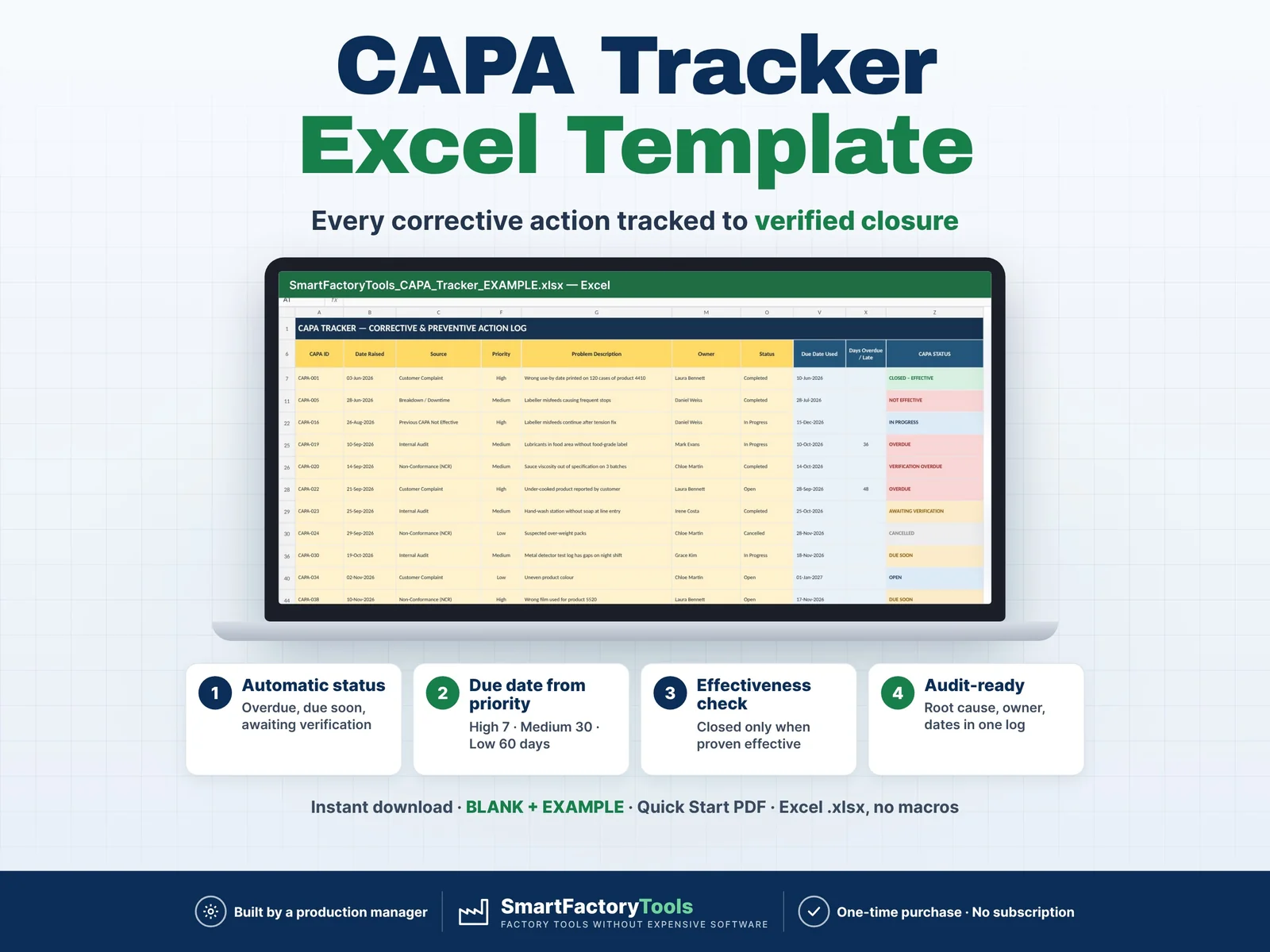
- Records non-conforming product. Corrective actions are linked by CAPA ID – the CAPA workflow itself is not included (see the SmartFactoryTools CAPA Tracker)
- No customer complaint workflow, no photos (use the Evidence column), no e-mail reminders, no stock link
- Cost is a management estimate, not an accounting figure
- No macros. Sheets are protected without a password to prevent accidental damage. Filters work in the log
- A record-keeping tool – it does not replace your quality management system and makes no certification claim
FAQ
Q: Does it work in Google Sheets?
A: No. It is built and tested for Microsoft Excel 2016 or newer on Windows or Mac desktop.
Q: Can I change the categories, severities and dispositions?
A: Yes – all lists, target days and cost rules are editable in SETUP.
Q: What is the difference between an NCR and a CAPA?
A: The NCR records the faulty product and what happens to it. A CAPA records the action that stops it coming back. Enter the CAPA ID in the NCR row.
Q: How do I start with my own data?
A: Open the BLANK file, fill in SETUP, then log your first NCR. The EXAMPLE file shows a complete demo.
Q: Can I print the NCR report?
A: Yes – one A4 / Letter page per NCR, with signature fields.
DIGITAL DOWNLOAD
This is a digital product – nothing is shipped. After purchase, download the ZIP from Etsy (Purchases and Reviews) on a computer, unzip it and open the files in Excel.
LICENSE
For use within your own company or organisation, at any number of sites. Reselling, sharing or uploading the template is not permitted. © SmartFactoryTools
 Lean & Continuous Improvement