 Workforce & Shifts
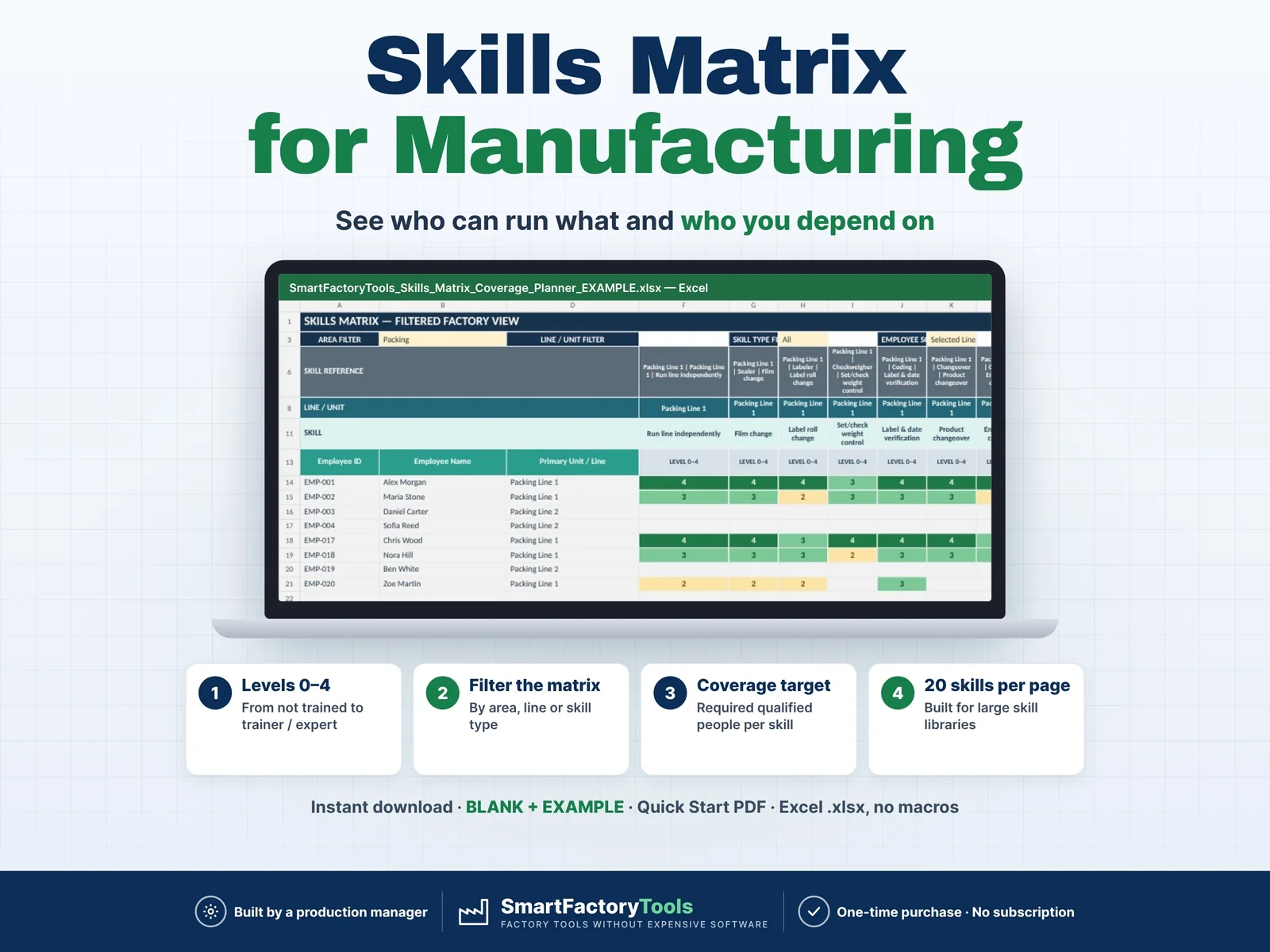
Skills Matrix & Coverage Risk Planner
Build a clear employee skills matrix, identify single-person dependencies, and see exactly where cross-training is needed before qualification gaps become production risks.
€19.99
View details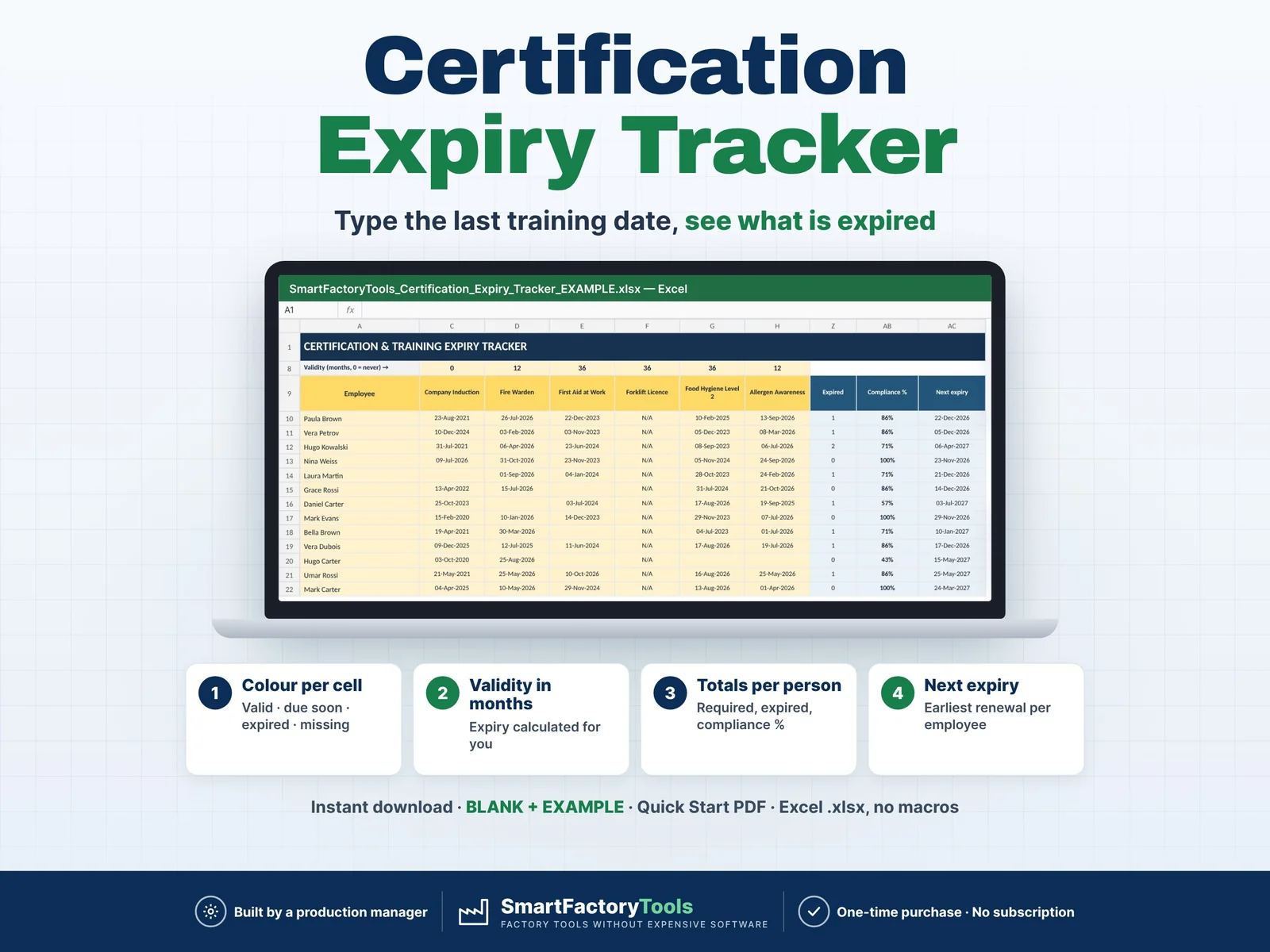
Workforce & Shifts
Type the date of the last training — Excel shows what is valid, due soon, expired or missing.
€9.99
SKU: SFT-TRAINEXP-01 · Digital download (Microsoft Excel)
Purchase and download through Etsy. Opens in a new tab.
Type the date of the last training — Excel shows what is valid, due soon, expired or missing.
▶ REQUIRES MICROSOFT EXCEL (DESKTOP) 2016 OR NEWER — Windows or Mac.
Not for Google Sheets, Apple Numbers or mobile apps.
The SmartFactoryTools Certification & Training Expiry Tracker is the quickest way for a small company, a department or a supervisor to stop certificates and refresher trainings from expiring unnoticed — forklift licences, first aid, fire warden, food hygiene, allergen awareness, lock-out / tag-out and more.
One simple grid: employees in rows, trainings in columns. Type the last completion date in each cell. The workbook calculates the expiry date and colours the cell automatically.
No macros. No subscription. No setup.
Sheets: START_HERE · SETUP · TRACKER · EXPIRY_LIST · FAQ · LICENSE
After a refresher, simply overwrite the date.
Small manufacturers · Supervisors and team leaders · HR and health & safety coordinators · Warehouses and logistics · Food and packaging plants · Any team with certificates that expire.
This tracker keeps one date per cell (the last completion) in one simple grid. Need requirements by role, full training history, 150 employees × 40 trainings, a compliance dashboard by department and a printable training record per employee? See our Training Matrix Excel Template.
Q: Does it work in Google Sheets or on an iPad?
A: No. It is built and tested for Microsoft Excel 2016 or newer on Windows or Mac desktop.
Q: Someone did a refresher. What do I do?
A: Overwrite the date in the cell. The colour updates immediately.
Q: A certificate never expires.
A: Enter validity 0 — any date then shows green.
Q: Is the file locked?
A: Formulas are protected against accidental changes, without a password. Your input cells are always editable.
This is a digital product. No physical item will be shipped. After purchase, download the ZIP from your Etsy account on a computer, unzip it and open the workbook in Excel.
For use within your own company or organisation. Resale, sharing or redistribution of the template is not permitted.
© SmartFactoryTools
Workforce & ShiftsBuild a clear employee skills matrix, identify single-person dependencies, and see exactly where cross-training is needed before qualification gaps become production risks.
€19.99
View details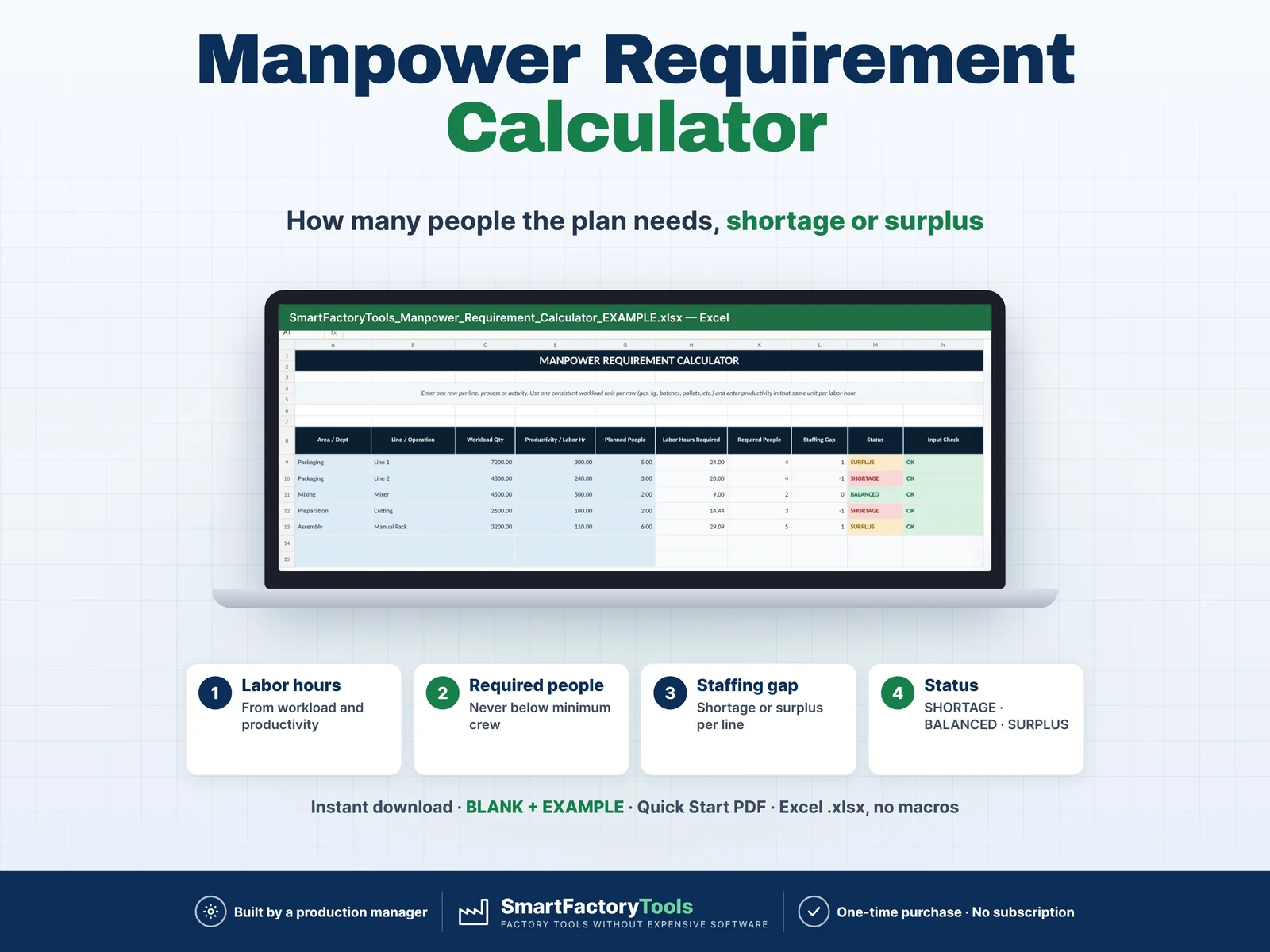 Workforce & Shifts
Calculate how many people your production plan actually requires and quickly identify staffing shortages, balanced areas and surplus manpower. Enter your workload, labor productivity, minimum crew requirements and currently planned people. The workbook automatically calculates required labor hours, required headcount and staffing gaps for each production line, department or operation. Designed for production planners, supervisors, manufacturing managers and operations teams that need a fast and practical workforce planning tool.
€7.99
View details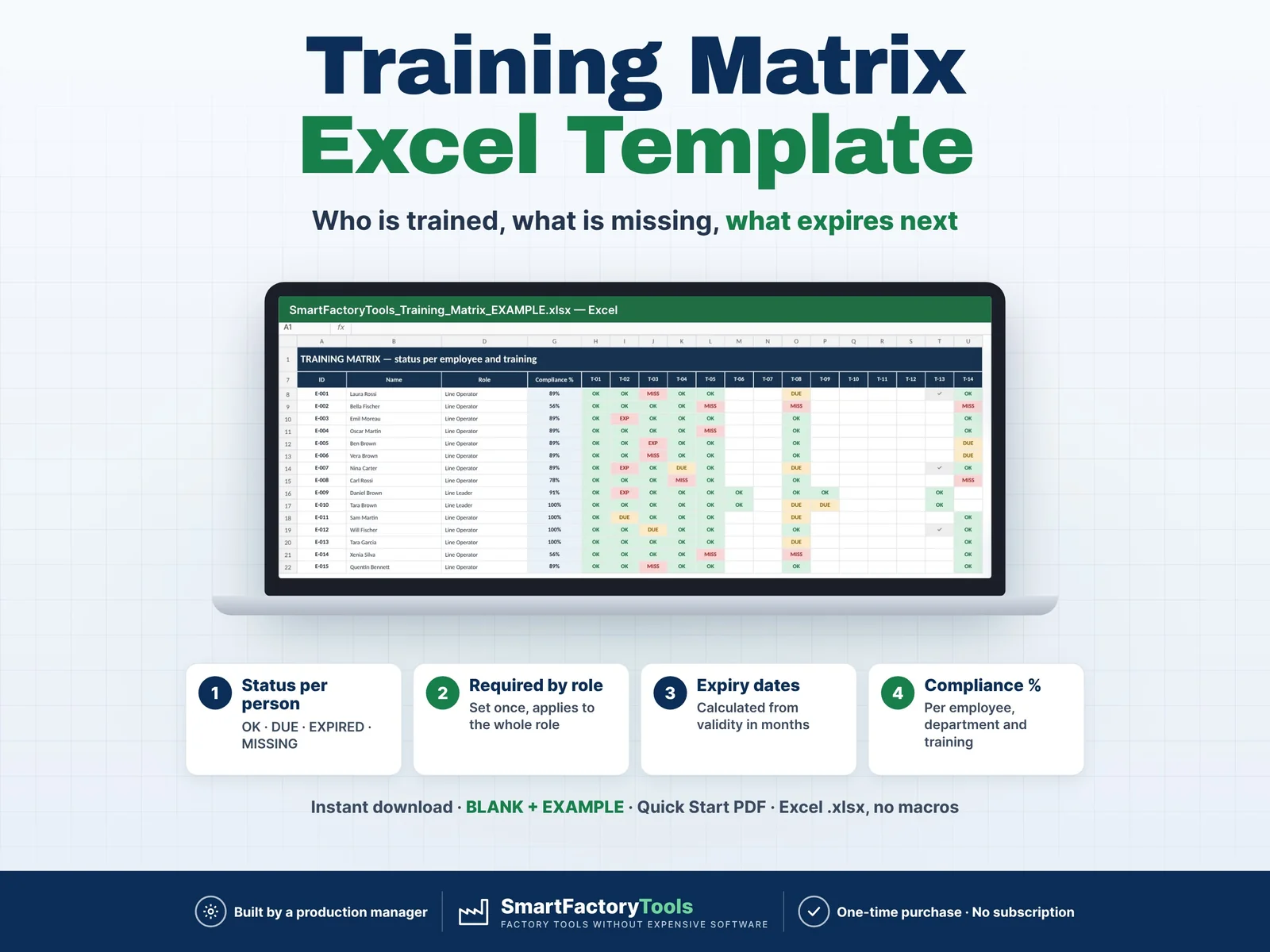 Workforce & Shifts
Know who is trained, what is missing and what expires next — for every employee, by role.
€19.99
View details