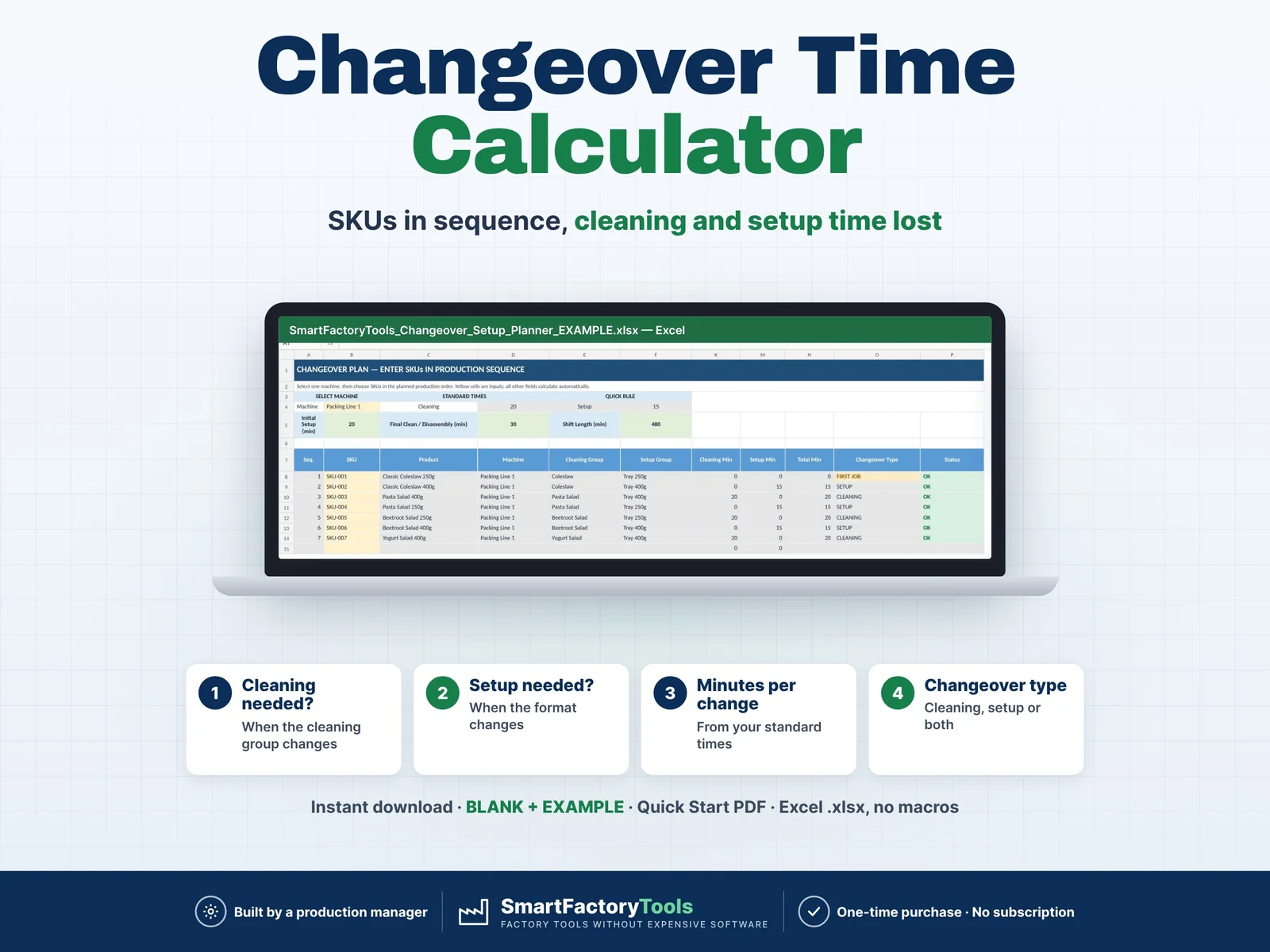
- Flags when a cleaning is needed (cleaning group changes)
- Flags when a setup is needed (format changes)
- Minutes lost per change from your standard times
- Instant download: BLANK + EXAMPLE · Quick Start PDF
- Built by a production manager · one-time purchase, no subscription, no macros
▶ Requires Microsoft Excel on a Windows or Mac computer (Excel 2016 or newer). Not for Google Sheets, Apple Numbers or mobile apps.
Changeover & Setup Planner — Excel Template
Reduce guesswork when planning product changeovers.
The SmartFactoryTools Changeover & Setup Planner is a practical Excel template designed for manufacturing teams that need to understand how much production time is consumed by cleaning, setup and product changeovers.
Enter your machines, products and standard changeover rules, then arrange your SKUs in production sequence. The template automatically identifies when cleaning, setup, or both are required between consecutive products.
It also converts planned non-production time into an estimated production capacity impact, helping you see how changeovers affect your available shift time.
WHAT THIS TEMPLATE HELPS YOU DO
- Plan products in production sequence
- Automatically detect cleaning requirements
- Automatically detect setup / format changes
- Calculate cleaning and setup minutes
- Include initial setup / assembly time
- Include final cleaning / disassembly time
- See total planned non-production time
- Calculate productive time remaining
- See percentage of shift time lost
- Estimate lost production capacity
- Review results in a visual summary
HOW IT WORKS
1. SET UP YOUR MACHINES
Enter:
- Machine / production line
- Cleaning time
- Setup / changeover time
- Initial setup / assembly time
- Final cleaning / disassembly time
- Shift length
- Optional machine speed
2. ADD YOUR PRODUCTS
For each SKU define:
- Product name
- Machine
- Cleaning Group
- Setup Group
Products belonging to the same Cleaning Group can run without triggering an additional cleaning event.
Products belonging to the same Setup Group can run without triggering an additional format/setup change.
3. BUILD YOUR PRODUCTION SEQUENCE
Choose the machine and enter your SKUs in the exact order they will be produced.
The spreadsheet compares every product with the previous product and automatically determines:
- Cleaning required — YES / NO
- Setup required — YES / NO
- Cleaning minutes
- Setup minutes
- Total changeover minutes
- Changeover type
4. REVIEW THE IMPACT
The Summary sheet shows:
- Planned jobs
- Number of transitions
- Cleaning events
- Setup events
- Initial setup time
- Cleaning between products
- Setup / format-change time
- Final cleaning / disassembly
- Total planned non-production time
- Productive time remaining
- Time lost %
- Theoretical shift capacity
- Estimated lost production capacity
- Estimated productive capacity
TEMPLATE CAPACITY
The template supports:
Up to 30 planned jobs
Up to 9 machines / production lines
Up to 37 SKUs
It analyzes one machine production sequence at a time.
INCLUDED WORKSHEETS
START HERE
Step-by-step instructions and explanation of the calculation logic.
SETUP
Machine parameters and Product / SKU Master Data.
CHANGEOVER PLAN
Enter your production sequence and automatically calculate changeovers.
SUMMARY
Visual overview of planned non-production time and estimated capacity impact.
FAQ and LICENSE
Answers to the most common questions and the terms of use.
BLANK + EXAMPLE FILES
The EXAMPLE workbook includes manufacturing data (7 SKUs on one line) so you can immediately see how the template works. The BLANK workbook is ready for your own sequence.
Yellow cells are your inputs. Calculated fields update automatically and are protected against accidental changes (no password).
WHO IS THIS FOR?
Suitable for:
- Production Managers
- Production Supervisors
- Operations Managers
- Manufacturing Engineers
- Production Planners
- Small manufacturers
- Food & beverage factories
- Packaging operations
- Multi-SKU production environments
- Lean / Continuous Improvement teams
SOFTWARE REQUIREMENTS
Designed for Microsoft Excel.
No macros required.
This is an Excel spreadsheet template and does not require specialized production planning software.
IMPORTANT — CAPACITY LOSS
Estimated Lost Production Capacity represents the potential number of units that could have been produced during planned non-production time, based on the machine speed entered by the user.
It does not represent lost revenue, lost profit or financial loss.
DIGITAL PRODUCT
This is a digital download.
No physical product will be shipped.
You will receive:
1 × ZIP file with:
- SmartFactoryTools_Changeover_Setup_Planner_v1.2_BLANK.xlsx
- SmartFactoryTools_Changeover_Setup_Planner_v1.2_EXAMPLE.xlsx
- Quick_Start_Guide.pdf (2-page setup guide)
After purchase, download the ZIP on a computer, unzip it and open the BLANK file in Excel to enter your own production data.
SCOPE
This focused template is designed specifically for changeover, cleaning and setup analysis.
It does not include full production-order capacity planning, workforce planning, financial analysis or automatic production-sequence optimization.
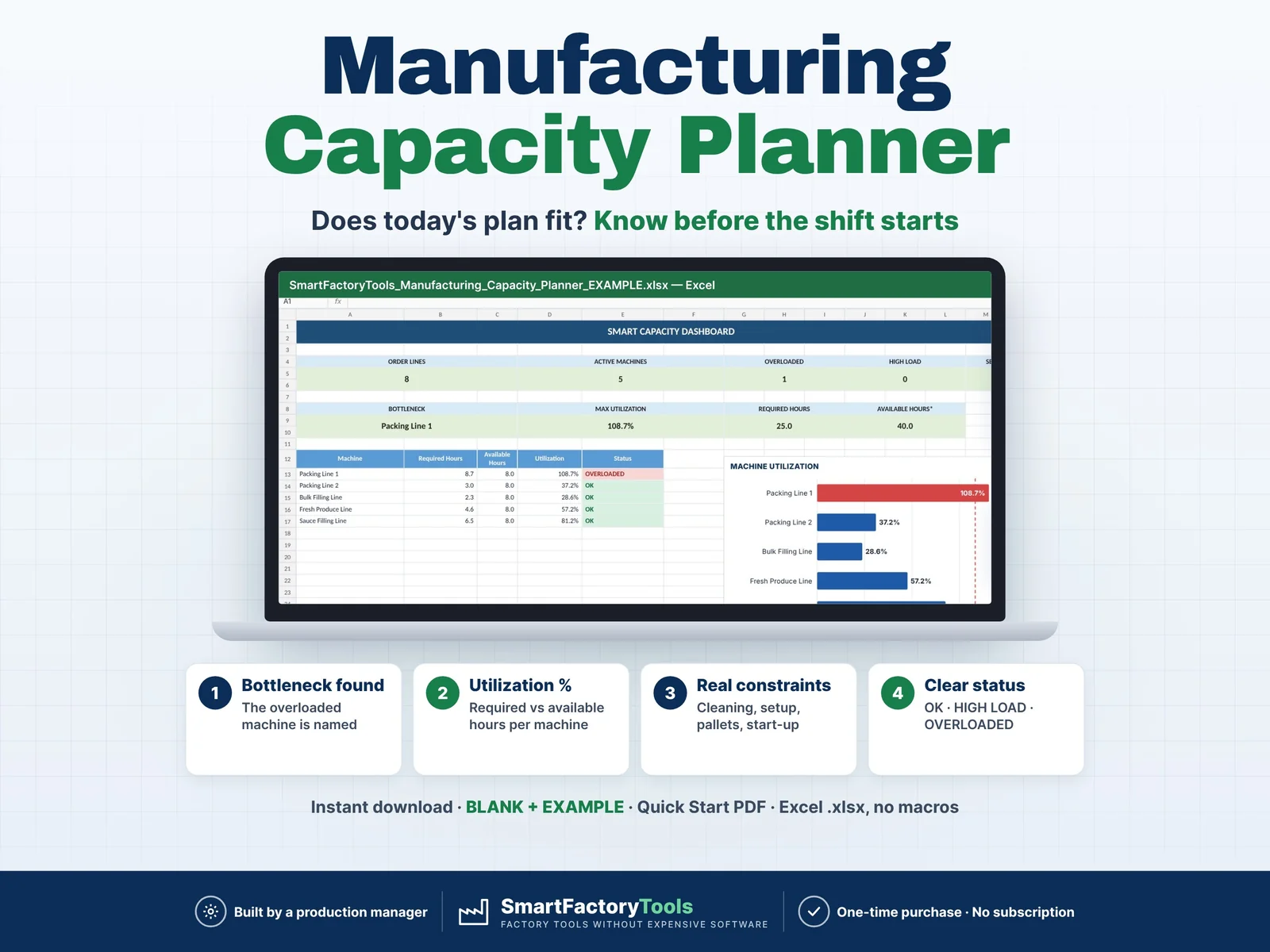
For full capacity planning by SKU and machine, see our Manufacturing Capacity Planner.
 Production Planning