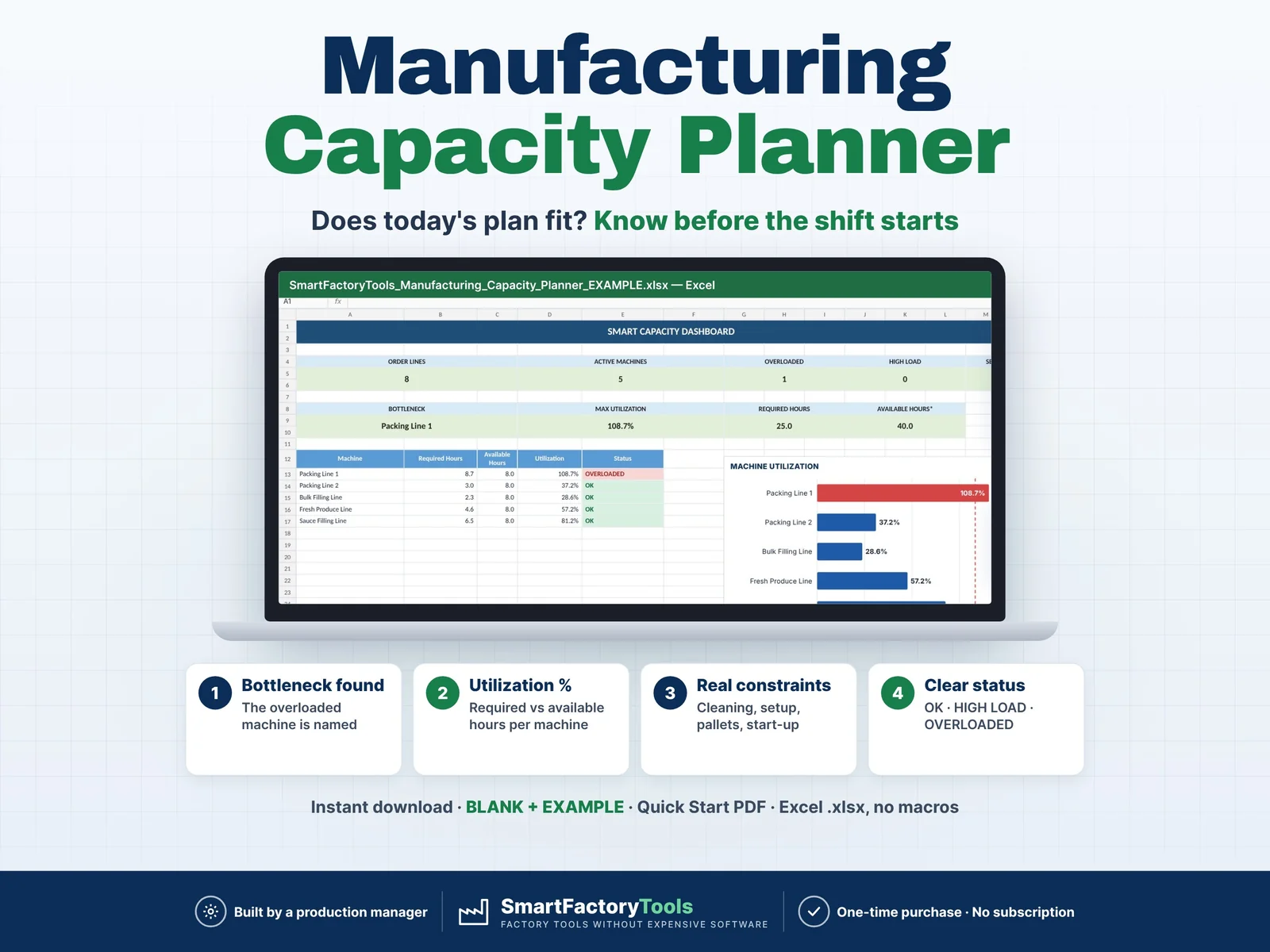
- Bottleneck machine named automatically
- Utilization % – required vs available hours per machine
- Real constraints: cleaning, setup, pallets, start-up
- Instant download: BLANK + EXAMPLE · Quick Start PDF
- Built by a production manager · one-time purchase, no subscription, no macros
▶ Requires Microsoft Excel on a Windows or Mac computer (Excel 2016 or newer). Not for Google Sheets, Apple Numbers or mobile apps.
Manufacturing Capacity Planner – Excel Template
Plan your daily production capacity, identify bottlenecks, and check whether your production plan fits your available machine time before the shift starts.
This Excel template goes beyond a simple Quantity ÷ Speed calculation. It includes real manufacturing constraints such as cleaning/changeovers, machine setup time, pallet handling, packaging changes, startup, shutdown, planned stops, and product-specific delays.
WHAT THIS TEMPLATE HELPS YOU DO
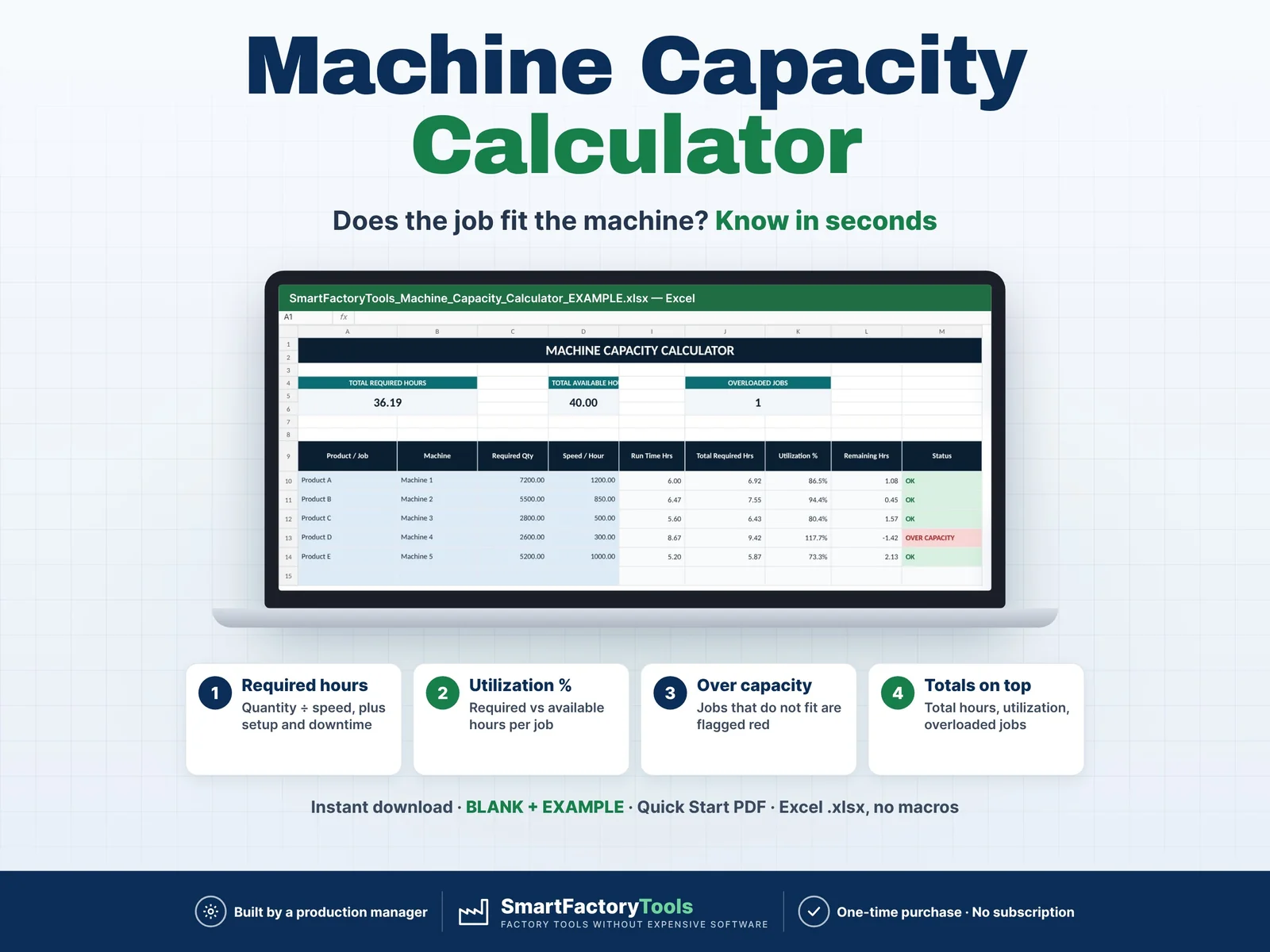
- Calculate required production time
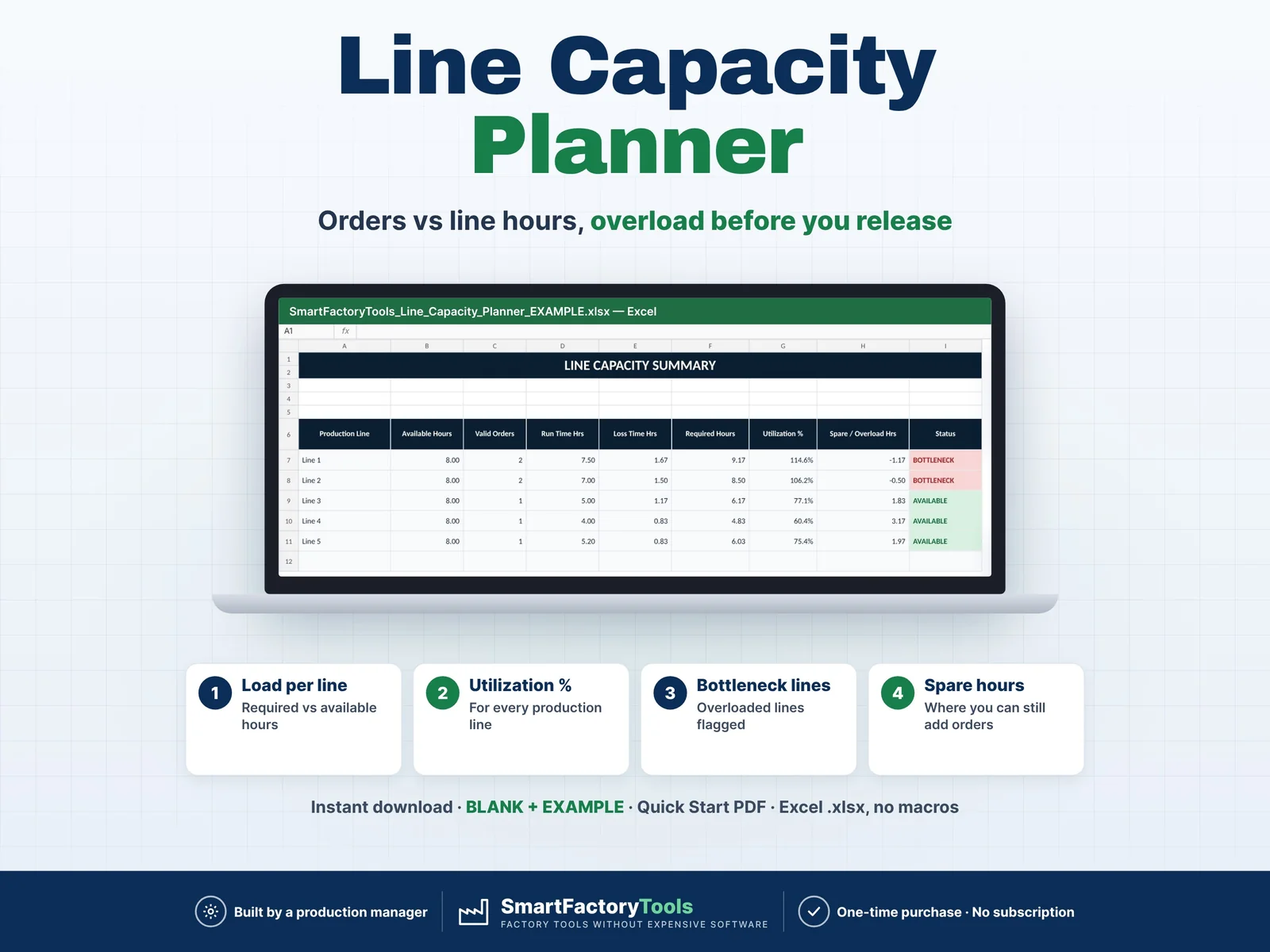
- Monitor machine capacity utilization
- Identify overloaded production lines
- Detect production bottlenecks
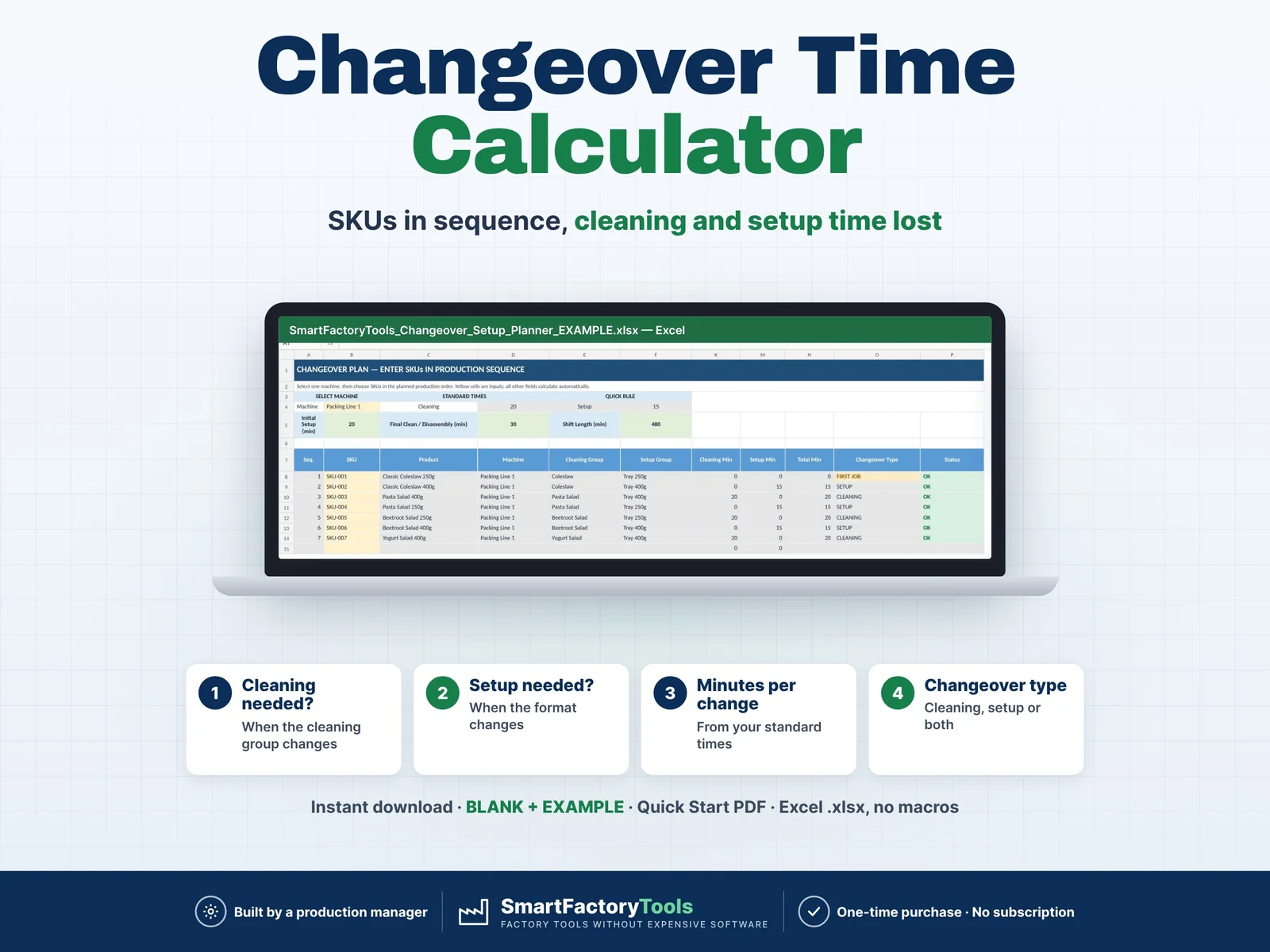
- Include cleaning/changeover time
- Include machine setup / format changes
- Include pallet handling time
- Include packaging-material changes
- Include startup and shutdown time
- Include planned production stops
- Track remaining available capacity
WHAT'S IN THE ZIP
- SmartFactoryTools_Manufacturing_Capacity_Planner_v1.2_BLANK.xlsx – ready for your own plant (sample machines and products to replace, no orders)
- SmartFactoryTools_Manufacturing_Capacity_Planner_v1.2_EXAMPLE.xlsx – filled example: 5 lines, 8 order lines, one overloaded line
- Quick_Start_Guide.pdf – 2-page setup guide
INCLUDED SHEETS
- START HERE – step-by-step instructions
- MACHINES – machine capacity rules and production constraints
- PRODUCTS – SKU master data and machine assignment
- ORDERS – enter SKU and quantity for the production plan
- CAPACITY – detailed capacity calculation
- DASHBOARD – visual overview of machine utilization and bottlenecks
- FAQ – answers to the most common questions
- LICENSE – terms of use
HOW IT WORKS
- Enter your machines and standard production parameters.
- Add your products and assign each SKU to a machine.
- Enter SKU and quantity for your production plan.
- The workbook automatically calculates required production time.
- Review utilization, overloaded machines and bottlenecks.
DESIGNED FOR
- Production Managers
- Production Planners
- Manufacturing Managers
- Operations Managers
- Factory Supervisors
- Small and Medium Manufacturers
EASY TO USE
Yellow cells are editable user inputs.
Calculated cells are colour-coded and protected against accidental changes (no password).
The EXAMPLE file includes sample manufacturing data so you can immediately see how the planner works. The BLANK file is ready for your own data.
SOFTWARE
Microsoft Excel / Excel 365 recommended.
Compatibility with Google Sheets, Apple Numbers, LibreOffice or other spreadsheet software is not guaranteed.
DIGITAL PRODUCT
This is an instant digital download. No physical product will be shipped.
You will receive a ZIP file with the BLANK and EXAMPLE workbooks and a Quick Start Guide (PDF).
Due to the nature of digital products, please review the product images and description carefully before purchasing.
SCOPE
This planner focuses on machine capacity planning and bottleneck detection.
Workforce allocation, employee skills, absences, multi-shift planning and Plan vs Actual analysis are not included.
Created by SmartFactoryTools using practical manufacturing planning logic and AI-assisted development, followed by manual review and testing.
 Production Planning