Every customer complaint logged, answered on time and analysed – in one Excel file, without QMS software.
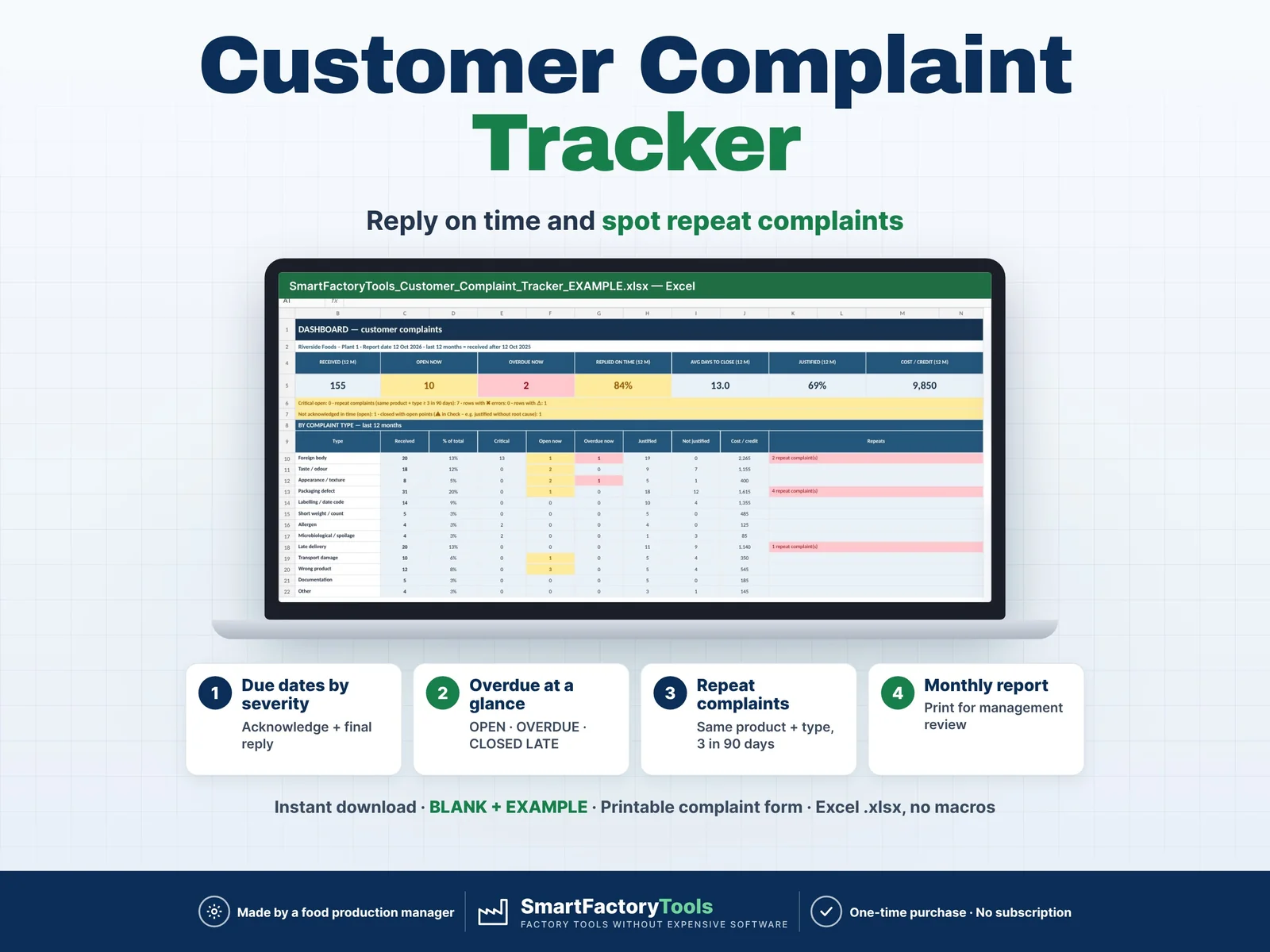
- Acknowledge and final-reply due dates set by severity
- Overdue at a glance: OPEN · OVERDUE · CLOSED LATE
- Repeat complaints flagged (same product + type, 3 in 90 days)
- Instant download: BLANK + EXAMPLE · Printable complaint form
- Built by a food production manager · one-time purchase, no subscription, no macros
▶ Requires Microsoft Excel 2016 or newer on a computer (Windows or Mac). Not for Google Sheets, Apple Numbers or mobile apps.
A customer complaint log for manufacturers: food and beverage plants, packaging, plastics and metal producers, co-packers and any small factory that has to show auditors how complaints are handled. Enter each complaint once – Excel sets the acknowledge and final-reply due dates from the severity, shows what is open or overdue, flags repeat complaints and builds the dashboard and the monthly report for you.
Built by a food production manager who handles customer complaints, investigations and audits in a real plant.
WHAT IT DOES
- Complaint log – up to 1,500 complaints: date received, customer, customer ref., product, batch / lot, type, severity, description, quantity, owner
- Complaint ID – every row gets a number (C-0001 …) to quote in your CAPA or NCR records
- Due dates by severity – your own targets, e.g. Critical: acknowledge in 1 day, final reply in 7 days
- Status – OPEN · OVERDUE ACK · OVERDUE REPLY · OVERDUE REPLY + ACK · CLOSED · CLOSED LATE, days open / days to close
- Investigation – finding, root cause category, justified Yes / No / Pending, CAPA / NCR ID, cost or credit
- Repeat complaints – same product + same type at least 3 times within 90 days (your rule) → REPEAT flag and dashboard list
- Dashboard – received (12 months), open, overdue, replied on time %, average days to close, justified %, cost; by complaint type; 12-month trend with chart; top 10 products and customers; repeat list; open complaints oldest first
- Monthly report – choose the month: KPIs and every complaint with status, root cause and CAPA – print and sign for management review
- Check column – missing data, unknown product or customer, dates in the wrong order, future dates, closed without "justified" or without root cause
WHAT'S INCLUDED (ZIP)
- SmartFactoryTools_Customer_Complaint_Tracker_v1.0_BLANK.xlsx – ready for your complaints
- SmartFactoryTools_Customer_Complaint_Tracker_v1.0_EXAMPLE.xlsx – fictional chilled-food plant, 157 complaints in 12 months
- Quick_Start_Guide.pdf – 2 pages
- Printable_Complaint_Form.pdf – A4 form to take a complaint by phone, investigate and close it on paper
HOW IT WORKS
- SETUP – severity targets, complaint types, root causes, owners, customers, products (about 10 minutes)
- COMPLAINTS – log the complaint: date, customer, product, type, severity
- Acknowledge, investigate, set Justified and the root cause, enter the final reply date
- DASHBOARD and MONTH_REPORT – see what is overdue, what repeats and what it costs
CLOSED = the customer has your final answer. If the investigation is not complete (no root cause, Justified not set), the row keeps a ⚠ and the dashboard counts it as "closed with open points".
WHO IT'S FOR
- Quality and QA managers, customer service teams
- Food and beverage plants, bakeries, dairies, meat and ready-meal producers
- Packaging, plastics, metal and contract manufacturers
- Anyone keeping complaint records for ISO 9001, IFS, BRCGS, FSSC 22000 or customer audits (the file does not replace those standards)
LIMITS
- A log and follow-up tool – no e-mail sending, no customer portal, no recall management, no root-cause method (use an 8D or RCA template).
- Response targets in calendar days. Costs in your currency, without a currency symbol.
- 1,500 complaints · 15 types · 12 root causes · 100 customers · 150 products · 30 owners.
- Sheets are protected without a password to prevent accidental damage – you can unprotect them (Review › Unprotect Sheet).
FAQ
Q: Does it work in Google Sheets or on an iPad?
A: No – it is built and tested for Microsoft Excel 2016 or newer on a computer.
Q: Can I change the response times?
A: Yes – days to acknowledge and to reply per severity are on SETUP; all due dates update.
Q: What is a repeat complaint?
A: The same product with the same complaint type at least 3 times within 90 days. Both numbers can be changed.
Q: Can I print a report for management review?
A: Yes – MONTH_REPORT, A4 landscape, with a signature line.
Q: Can I change the example data?
A: Use the BLANK file for your complaints – the EXAMPLE file shows how a full year looks.
DIGITAL DOWNLOAD
This is a digital product – nothing is shipped. After purchase, download the ZIP from Etsy (Purchases and reviews) on a computer, unzip it and open the BLANK file in Excel.
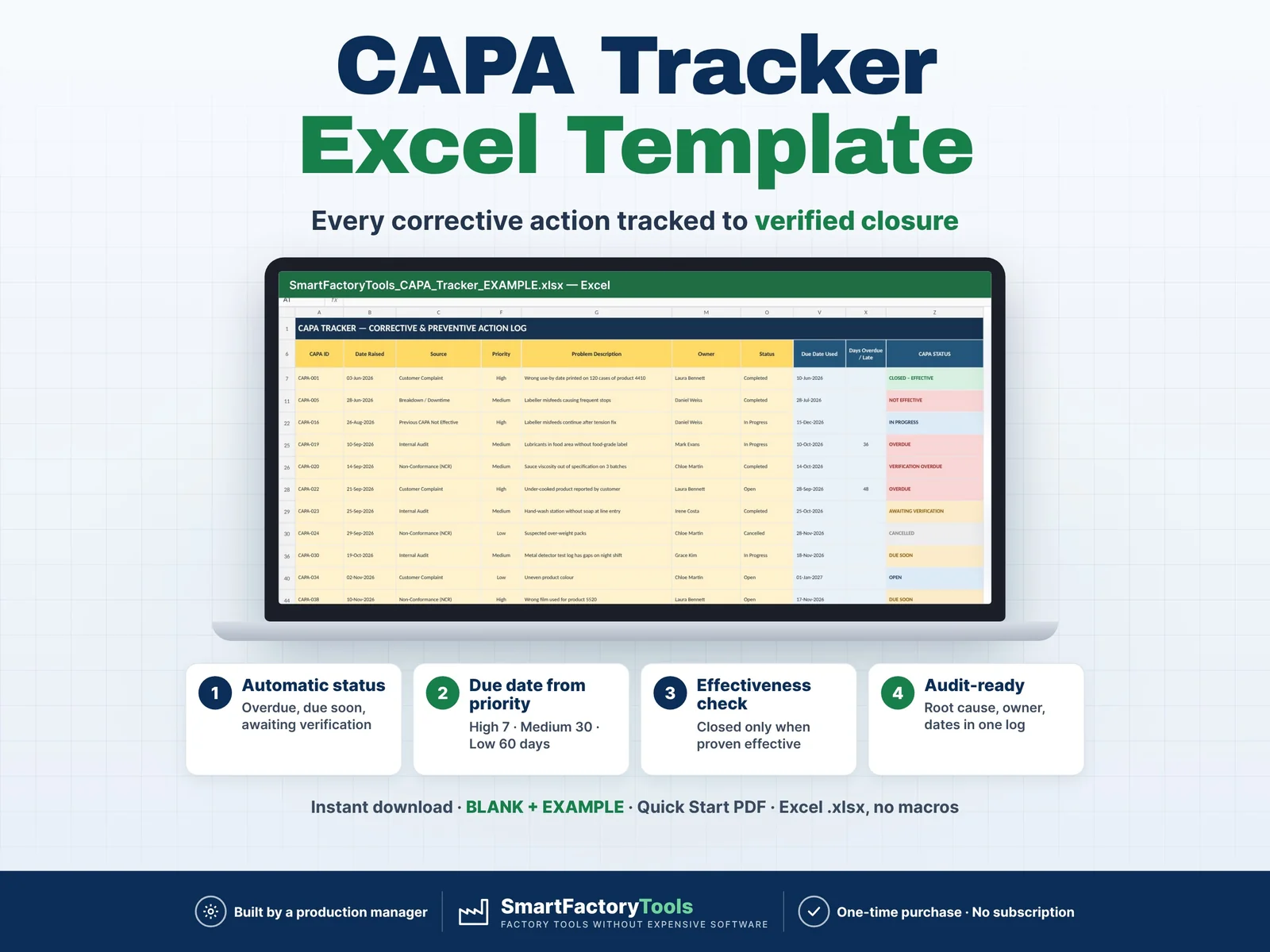
Related SmartFactoryTools templates: CAPA Tracker, Non-Conformance (NCR) Log, 8D Report Template, Root Cause Analysis Toolkit.
LICENSE
For use in your own company or organisation (any number of sites and employees). Reselling, sharing or uploading the file to other websites is not permitted.
© SmartFactoryTools – Factory tools without expensive software.
 Lean & Continuous Improvement