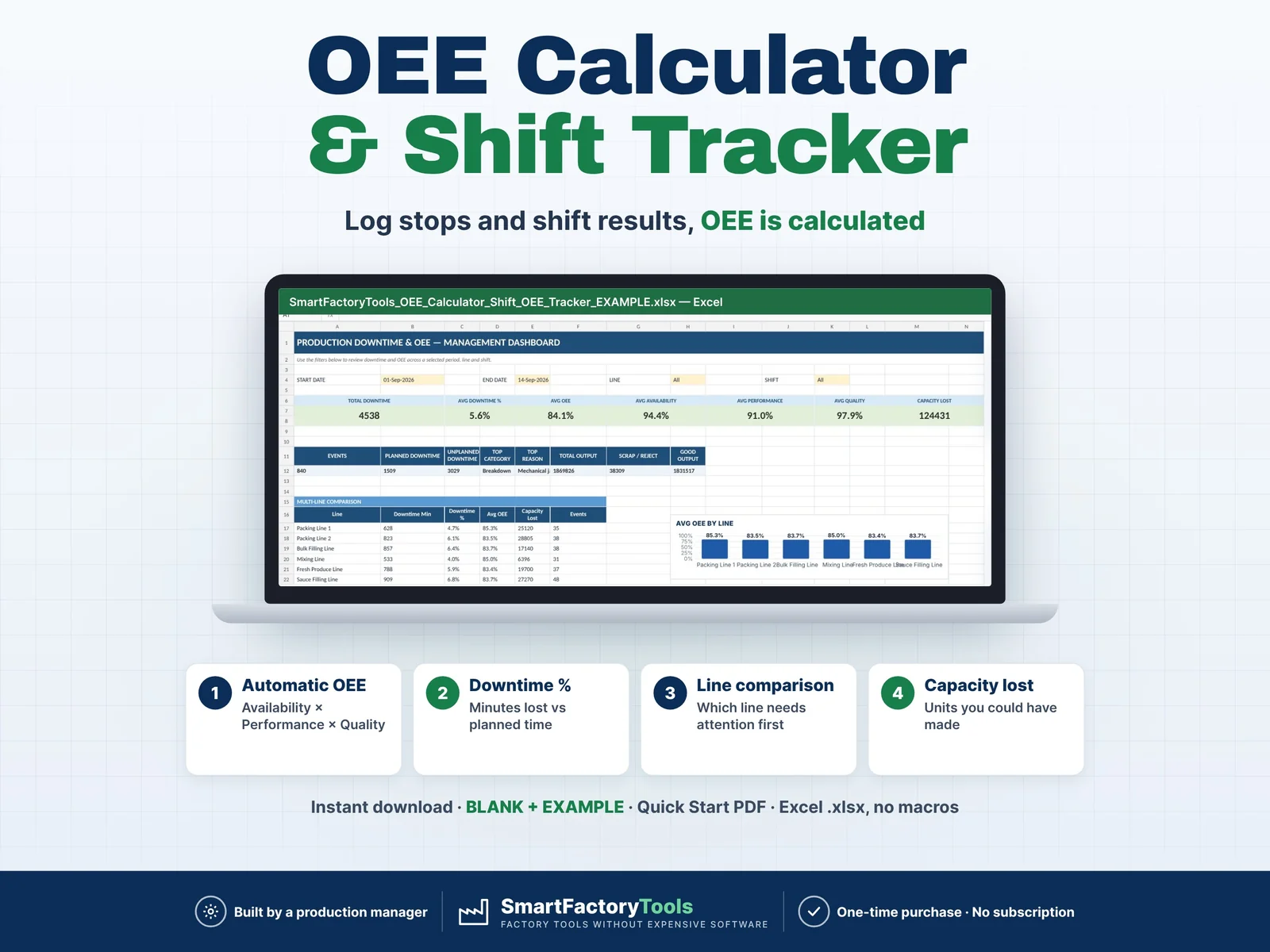
- Automatic OEE per shift and line
- Downtime % – minutes lost vs planned time
- Capacity lost – units you could have made
- Instant download: BLANK + EXAMPLE · Quick Start PDF
- Built by a production manager · one-time purchase, no subscription, no macros
▶ Requires Microsoft Excel 2016 or newer on a Windows or Mac computer. Not for Google Sheets, Apple Numbers or mobile apps.
Track production downtime, shift performance and OEE in one structured Excel workbook built for real manufacturing environments.
The SmartFactoryTools OEE Calculator & Shift OEE Tracker helps production managers, supervisors and continuous improvement teams record production losses, calculate OEE automatically and identify the biggest causes of downtime.
Instead of maintaining separate downtime logs, shift reports and KPI spreadsheets, the workbook connects your daily production records directly to visual dashboards and Pareto analysis.
WHAT YOU CAN TRACK
- Production downtime events
- Planned vs unplanned downtime
- OPEN and CLOSED downtime events
- Production line and shift performance
- Total production output
- Reject / scrap quantity
- Good production output
- Estimated production capacity lost
- Availability
- Performance
- Quality
- Overall Equipment Effectiveness — OEE
- Downtime by category
- Downtime by reason
- Production trends over time
- Multiple production lines and shifts
AUTOMATIC OEE CALCULATION
The workbook automatically calculates:
Availability
Operating Time ÷ Planned Production Time
Performance
Actual Output ÷ Theoretical Output During Operating Time
Quality
Good Output ÷ Total Output
OEE
Availability × Performance × Quality
No manual KPI calculations are required.
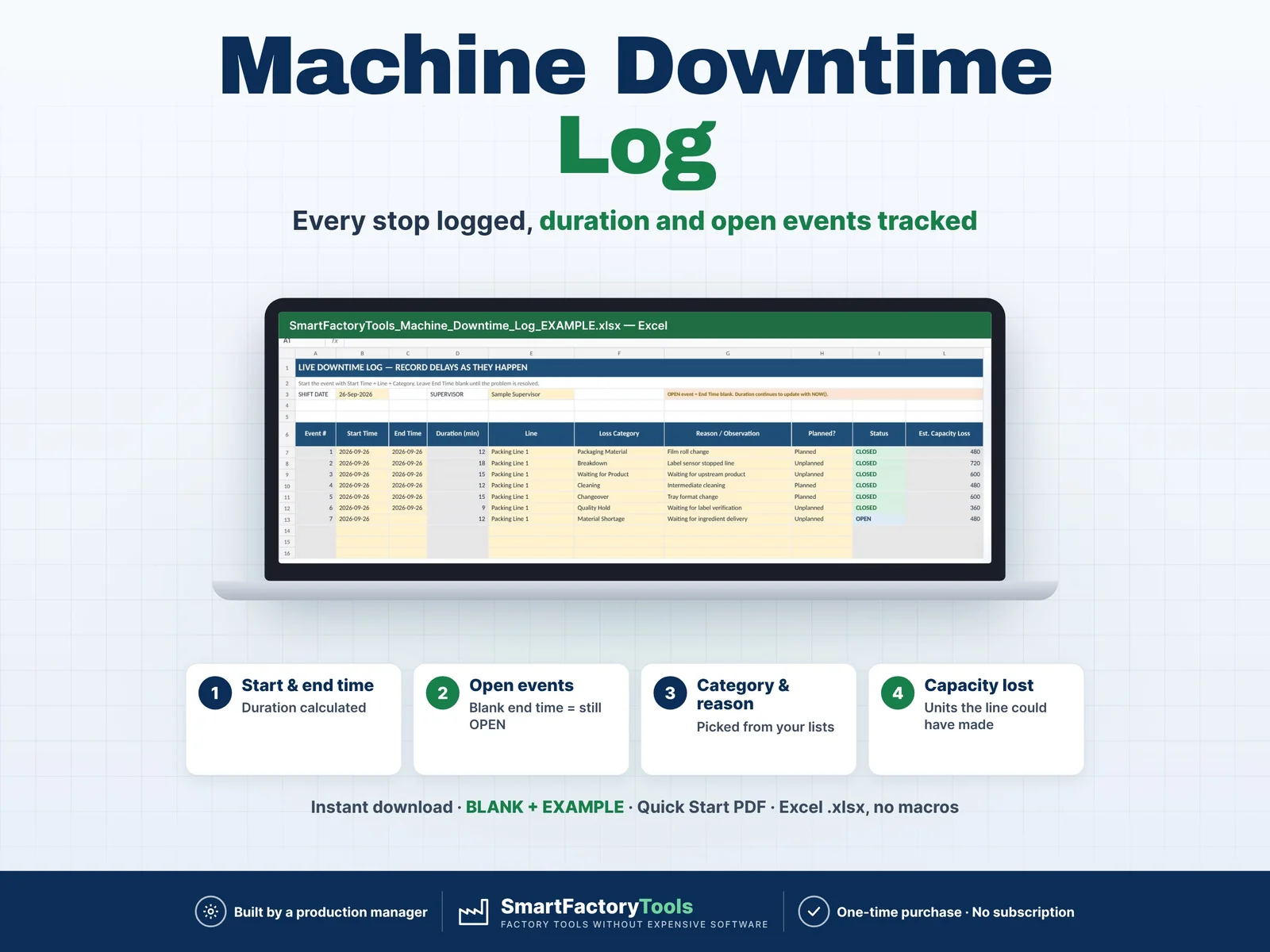
DAILY DOWNTIME LOG
The Downtime Log is designed for practical shop-floor use.
Each date includes 60 prepared downtime event slots with formulas and dropdowns already built in.
Use the Excel Date filter to work with one production day at a time.
Record:
- Shift
- Supervisor
- Start Time
- End Time
- Production Line
- SKU
- Downtime Reason
- Planned / Unplanned
- Root Cause
- Action / Note
The Category is automatically assigned from the selected Reason, helping prevent inconsistent downtime classification.
For an active event, leave End Time blank. The event remains OPEN until the issue is resolved.
SHIFT PERFORMANCE TRACKING
SHIFT DATA lets you filter by:
Enter the production result for each shift and the workbook automatically calculates downtime, operating time, good output, Availability, Performance, Quality, OEE and estimated capacity loss.
EXPANDABLE MASTER DATA
Configure the workbook for your own factory.
You can expand the master tables for:
- Production Lines
- SKUs / Products
- Downtime Categories
- Downtime Reasons
New items are automatically included in the relevant dropdowns and calculations.
SHIFT DATA supports up to 50 configured production lines.
DASHBOARD
Use Start Date, End Date, Production Line and Shift filters to review:
- Total Downtime
- Downtime %
- OEE
- Availability
- Performance
- Quality
- Estimated Capacity Lost
- Planned vs Unplanned Downtime
- Production Output
- Reject / Scrap
- Good Output
- Performance by Production Line
LOSS ANALYSIS
The Analysis page includes:
- Downtime Category Pareto
- Downtime Reason Pareto
- Event frequency
- Cumulative loss analysis
- 14-day Downtime and OEE trend
This makes it easier to identify recurring production losses instead of simply recording them.
DESIGNED FOR
- Production Managers
- Manufacturing Managers
- Plant Managers
- Production Supervisors
- Operations Managers
- Continuous Improvement Teams
- Lean Manufacturing Teams
- Industrial Engineers
- Process Engineers
- Small and Medium Manufacturers
Suitable for food manufacturing, packaging, assembly, processing and other production environments.
MONTHLY WORKFLOW
The workbook is designed as:
1 workbook = 1 reporting month
Set up SETUP once and save that file (without log data) as your MASTER copy. For a new month:
- Copy the MASTER file
- Change Month Start in SETUP
- Add any new lines, products or downtime reasons at the end of their tables
- Start recording production data
This keeps your files clean, fast and easy to archive.
WORKS WITH OTHER SMARTFACTORYTOOLS TOOLS (optional)
- MONTH_TOTALS: planned production time and unplanned downtime per line for the Production KPI Dashboard – one paste a month
- SHIFT_DATA can be filled from the SmartFactoryTools Shift Report (EXPORT_OEE) – output and scrap are not typed twice
- IMPORT_SETUP: shared setup of the Production Performance Bundle – lines, shifts, reasons and SKUs in one paste
- Only this file? Ignore these sheets – nothing else changes. Nothing is linked: copy one named block, Paste Values.
WHAT YOU RECEIVE
- ZIP file with:
- SmartFactoryTools_OEE_Calculator_Shift_OEE_Tracker_v1.3_BLANK.xlsx – your monthly master file (sample downtime reasons; your lines, SKUs and logs start empty)
- SmartFactoryTools_OEE_Calculator_Shift_OEE_Tracker_v1.3_EXAMPLE.xlsx – 1–14 Sep 2026 with 227 downtime events, OEE ≈ 84%
- Quick_Start_Guide.pdf – 2-page setup guide
- Built-in Start Here guide, FAQ and LICENSE sheets
- Protected calculation cells
- Editable input areas
- Expandable Master Data tables
- Automatic formulas
- Dashboard and charts
- No VBA
- No macros
- No subscription
IMPORTANT
This template is designed for Microsoft Excel. Desktop Excel is recommended for the best functionality.
Compatibility with Google Sheets, Apple Numbers or other spreadsheet applications is not guaranteed.
This is a digital product. No physical item will be shipped.
The workbook supports production monitoring and analysis but does not replace an ERP, MES, QMS or other validated manufacturing system.
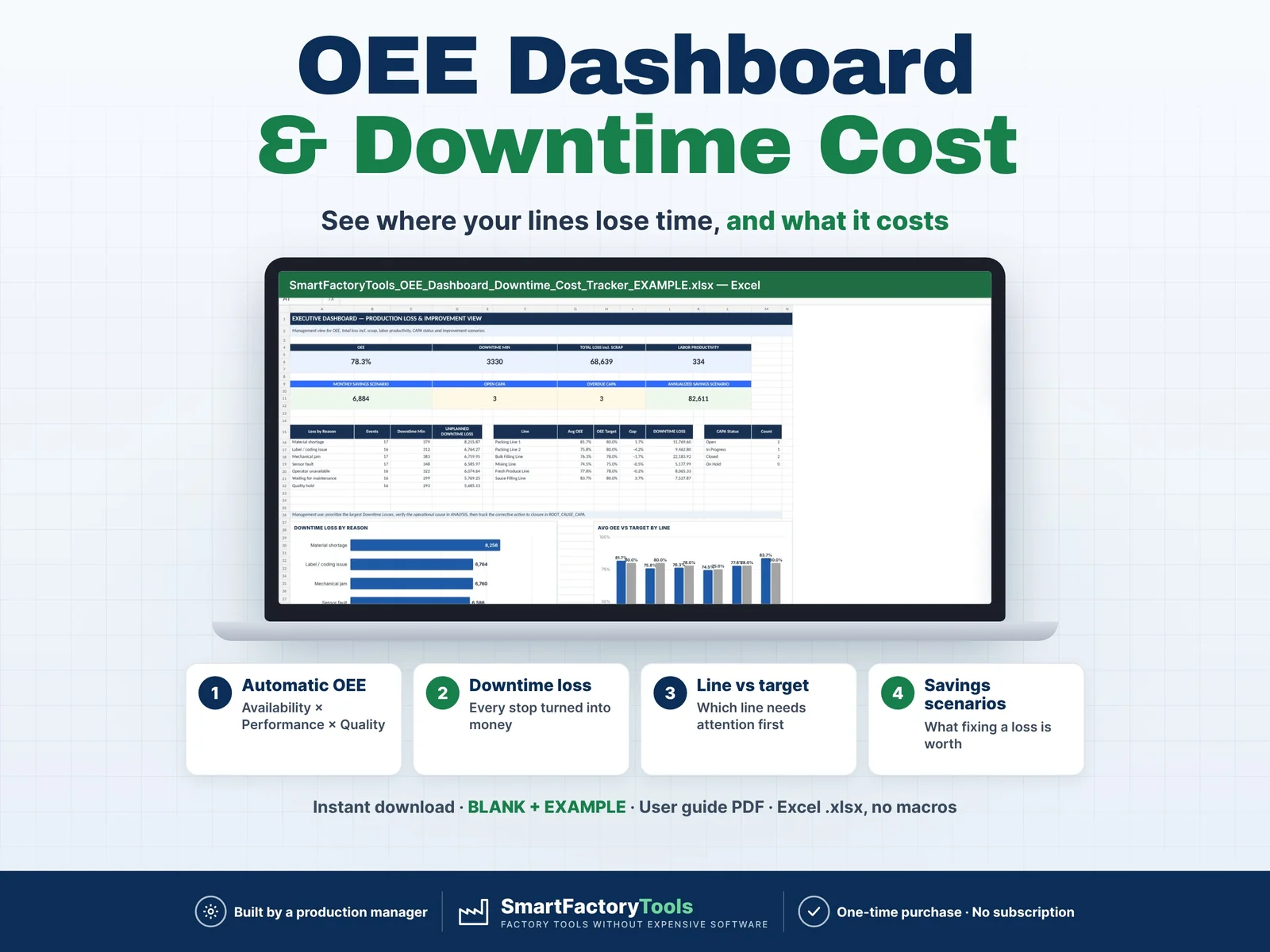
Need downtime cost, CAPA, MTTR / MTBF and savings scenarios as well? See our OEE Dashboard & Downtime Cost Tracker.
 Maintenance