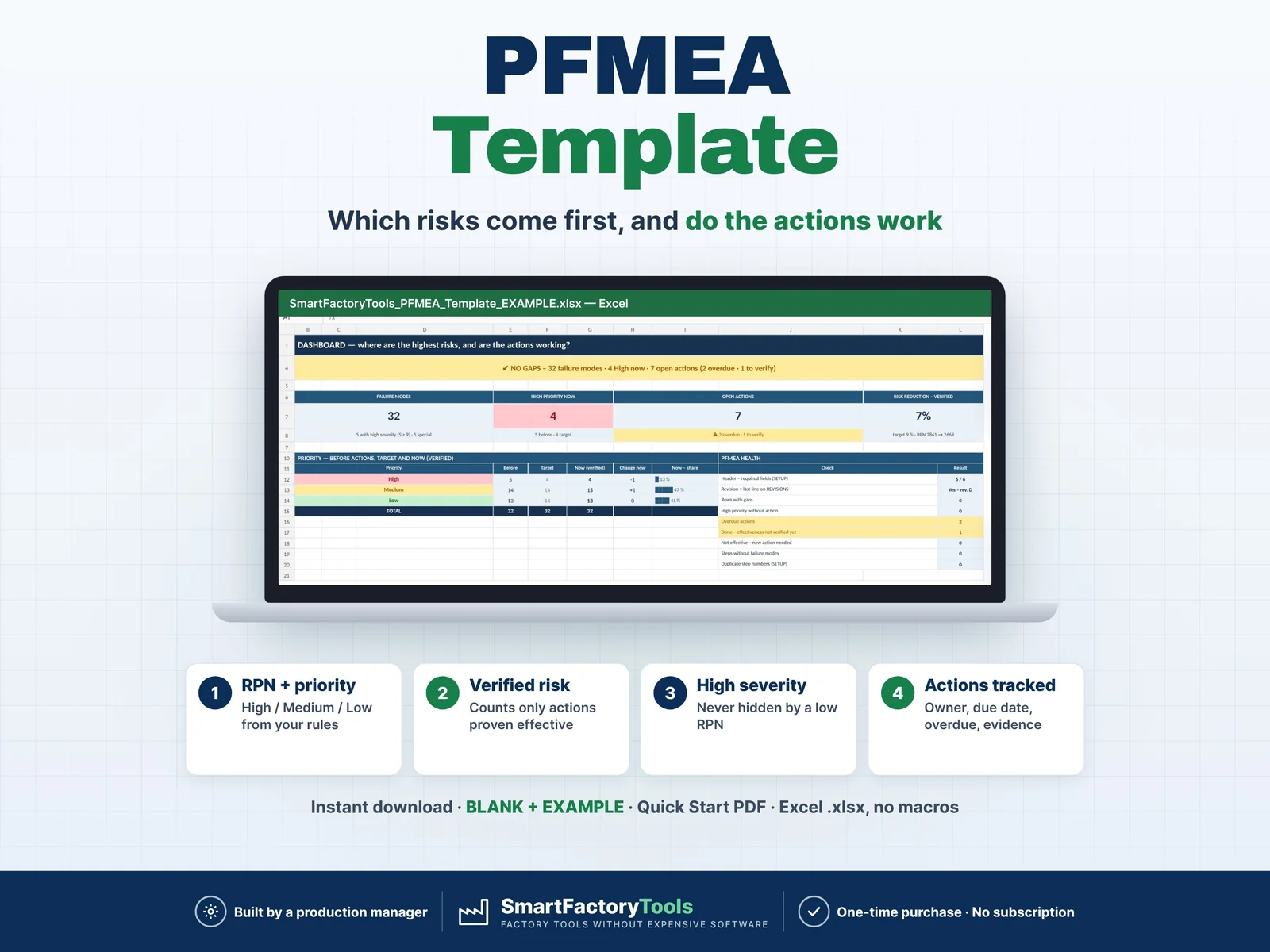
What can go wrong in your process, which risks come first – and are your actions really reducing them? A process FMEA in Excel that keeps the risk honest.
- RPN + High / Medium / Low priority from your own rules
- High severity never hidden by a low RPN
- Verified risk counts only actions proven effective
- Instant download: BLANK + EXAMPLE · Quick Start PDF
- Built by a production manager · one-time purchase, no subscription, no macros
▶ Requires Microsoft Excel 2016 or newer on a computer (Windows or Mac). Not for Google Sheets, Apple Numbers or mobile apps.
Customers and auditors ask for a PFMEA. Most teams keep it in a copied spreadsheet: RPN only, actions without owner or date, "Done" without evidence – and a risk that looks lower on paper than on the shop floor. This template rates every failure mode, sets the priority from rules you control, tracks the actions and only shows a lower risk when the action is done AND verified effective. Built by a production manager who works with food-safety and quality audits.
WHAT IT DOES
- One row per failure mode and cause: process step, function, failure mode, effect, severity, special characteristic, cause, prevention controls, occurrence, detection controls, detection
- RPN = S × O × D and priority High / Medium / Low from editable rules (severity with occurrence, RPN thresholds)
- High-severity rule: S ≥ 9 is never lower than Medium (or High – your choice), even with a low RPN
- Actions: recommended action, owner, due date, status, what was really done, completion date
- Re-rating after the action = TARGET; the risk NOW only changes when the action is Done with complete data AND verified effective with evidence
- Every row checked: all missing fields listed at once – e.g. action without owner or date, Done without new ratings, verified without evidence, completion date in the future, high severity not marked special, overdue
- Dashboard: priority before / target / now, verified risk reduction, top 10 risks, high-severity list (always visible), open actions and verifications by due date, actions per owner, risk per process step, severity × occurrence risk matrix
- PRINT sheet: printable PFMEA sorted by process step · REVISIONS log
WHAT'S INCLUDED (ZIP)
- SmartFactoryTools_PFMEA_Template_v1.0_BLANK.xlsx – your own PFMEA with preset 1–10 scales, priority rules and owners
- SmartFactoryTools_PFMEA_Template_v1.0_EXAMPLE.xlsx – fictional 38 mm beverage closure: 8 process steps, 32 failure modes, actions with verification
- Quick_Start_Guide.pdf – 2 pages
Sheets: START_HERE · SETUP · PFMEA · DASHBOARD · PRINT · REVISIONS · FAQ · LICENSE
HOW IT WORKS
- SETUP: header, scales, priority rules, process steps, owners
- PFMEA: failure modes, effects, causes, controls – rate S, O, D
- Actions: owner, due date, status – re-rate the target
- Verify: effective Yes / No with evidence – only then the risk goes down
- DASHBOARD and PRINT
Yellow cells are your input. Everything else is calculated and protected (no password).
WHO IT'S FOR
Quality and process engineers, quality managers, production managers, food safety / HACCP teams and suppliers asked for a PFMEA – plastics and packaging, automotive suppliers, food and beverage, metal parts, electronics, medical devices.
IMPORTANT LIMITS – PLEASE READ
- The priority comes from simple rules you control. They are NOT the AIAG-VDA Action Priority (AP) table – if your customer requires AP, adapt the rules or use the customer's tool.
- The file checks the PFMEA document, not whether your ratings are right: S, O and D are your team's judgement.
- Not included: DFMEA, the AIAG-VDA form, structure / function trees, automatic link to a control plan file.
- One part or process per file · 300 rows · 50 process steps · 20 owners · 40 revisions. No VBA / macros.
Related SmartFactoryTools templates: Control Plan Template, CAPA Tracker (Corrective & Preventive Action Log), Non-Conformance (NCR) Log & Cost Tracker.
FAQ
One failure mode with several causes?
One row per cause – repeat step, failure mode, effect and severity.
Why does the risk not go down when I enter new ratings?
New S / O / D are the target. The current risk only uses them when the action is Done, the completion date and action taken are filled, and the effect is verified with evidence.
Can I change the scales and rules?
Yes – descriptions, thresholds and the high-severity minimum are on SETUP.
Can I use it in Google Sheets?
No. It is built and tested for Microsoft Excel 2016 or newer on a computer.
DIGITAL DOWNLOAD
This is a digital product – nothing is shipped. After purchase, download the ZIP from Etsy (Purchases and reviews) on a computer, unzip it and open the BLANK or the EXAMPLE file in Excel.
LICENSE
For use in your own company or organization (any number of sites and users). Reselling, sharing or uploading the template elsewhere is not permitted. © SmartFactoryTools · SKU SFT-PFMEA-01
 Lean & Continuous Improvement