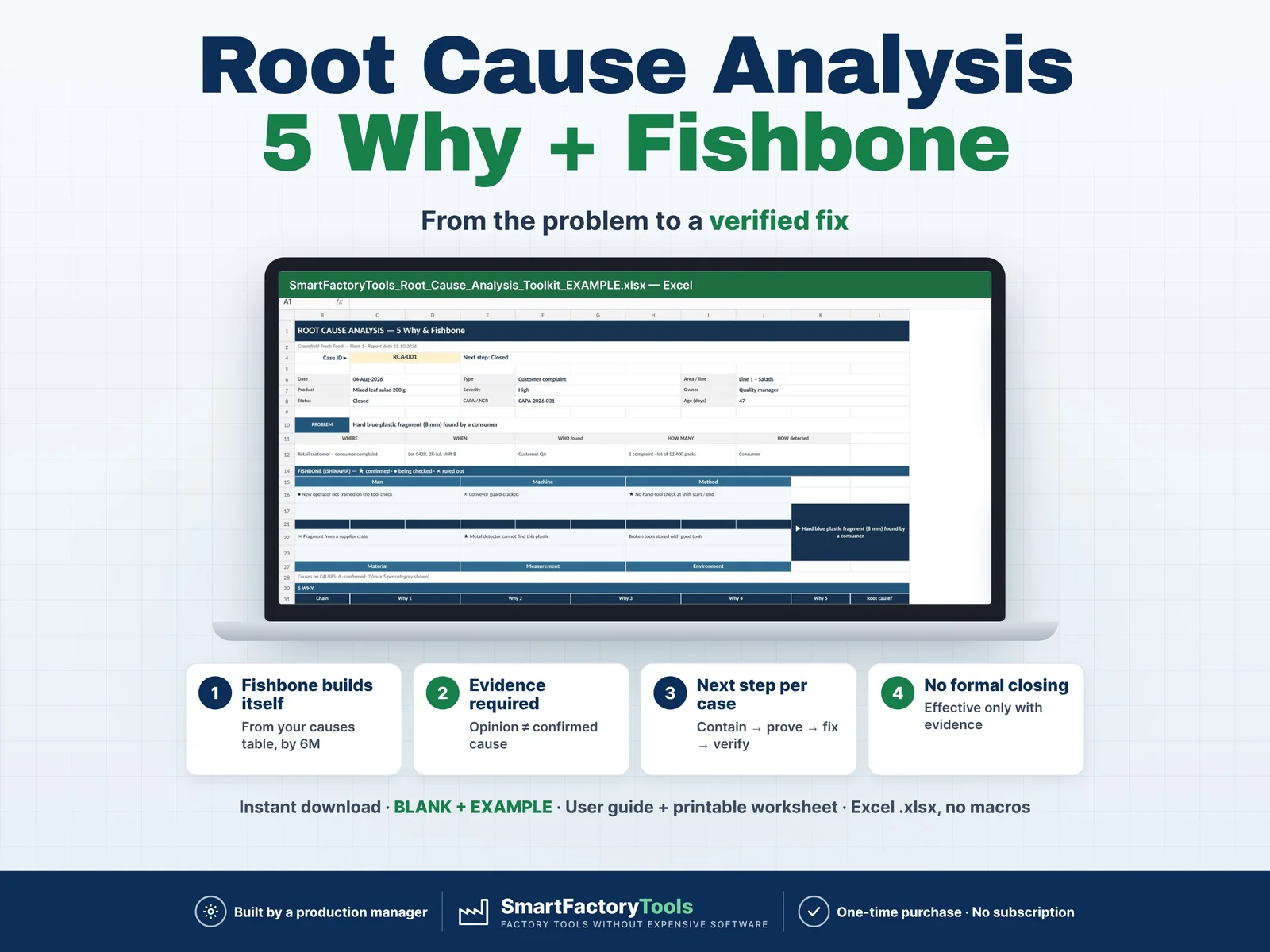
Find the real root cause of a defect, complaint or breakdown – not the first one that comes to mind – and prove that the fix works. A professional root cause analysis toolkit in Excel: 5 Why, fishbone (Ishikawa), actions and verification for all cases of your plant.
- Fishbone (6M) builds itself from your causes table
- Evidence required – opinion ≠ confirmed cause
- Closed only when the fix is proven effective
- Instant download: BLANK + EXAMPLE · User guide + printable worksheet
- Built by a production manager · one-time purchase, no subscription, no macros
▶ Requires Microsoft Excel 2016 or newer on a computer (Windows or Mac). Not for Google Sheets, Apple Numbers or mobile apps.
Most root cause analyses end on a whiteboard or in a Word file: the fishbone gets lost, the 5 Why stops at "operator error", an opinion becomes the "confirmed" cause and actions are closed without checking if they worked. This toolkit guides the team through a real investigation and checks every step – built by a production manager who runs these investigations in a food plant.
PLEASE READ BEFORE BUYING
- A PROFESSIONAL TOOL, NOT A 5-CELL CALCULATOR. One investigation uses several sheets – the problem (CASES), possible causes (CAUSES), 5 Why chains (WHY) and actions (ACTIONS). The ANALYSIS sheet puts everything on one page. It needs concentration – like a real RCA.
- SHORT SETUP NEEDED. Before the first case, enter your lines / areas, owners and problem types (about 15–30 minutes). A 5-page User Guide explains every sheet, column and message.
- IT DOES NOT FIND THE CAUSE FOR YOU. The file organises the method and checks that nothing is skipped – facts first, containment, evidence for confirmed causes, a 5 Why to a root cause you can act on, verified actions. Whether the cause is right depends on your team, your data and your tests.
WHAT IT DOES
- CASES: up to 50 problems with a 5W2H description (what, where, when, who, how many, how detected), severity, owner, status, root cause and CAPA / NCR link
- Next step for every case: contain → collect causes → confirm → 5 Why → root cause → corrective action → complete → verify → close
- CAUSES by 6M (Man, Machine, Method, Material, Measurement, Environment): Possible → Being checked → Confirmed (evidence required) or Ruled out
- Automatic FISHBONE (Ishikawa) for the selected case: ★ confirmed · ● being checked · ✗ ruled out
- WHY: 5 Why chains with checks for gaps, chains that stop too early and "human error" as a root cause
- ACTIONS: containment, correction, corrective and preventive actions with owner, due date, overdue days and effectiveness – "effective" only counts with evidence
- Every row checked – all gaps of a row listed at once; a case cannot pass as Closed with open actions, without a verified corrective action or without a confirmed cause
- ANALYSIS: one-page A4 report per case (problem, 5W2H, fishbone, 5 Why, root cause, actions, check) – print or save as PDF for your customer or auditor
- DASHBOARD: open cases, high severity, overdue actions, actions to verify, case age, closed with complete checks, root causes by 6M, cases by status and type
WHAT'S INCLUDED (ZIP)
- SmartFactoryTools_Root_Cause_Analysis_Toolkit_v1.0_BLANK.xlsx – your own cases
- SmartFactoryTools_Root_Cause_Analysis_Toolkit_v1.0_EXAMPLE.xlsx – fictional salad / ready-meal plant: 8 cases in all stages (foreign body, underweight packs, allergen label, seal leaks, breakdown, chiller temperature, complaint, audit finding)
- User_Guide.pdf – 5 pages: every sheet, column, next step and check message explained, closing checklist and a worked example
- Quick_Start_Guide.pdf – 2 pages
- Printable_5Why_Fishbone_Worksheet.pdf – blank A4 worksheet (problem, 5W2H, fishbone, 5 Why, root cause, actions) for the shop-floor meeting
Sheets: START_HERE · SETUP · CASES · CAUSES · WHY · ACTIONS · ANALYSIS · DASHBOARD · FAQ · LICENSE
HOW IT WORKS
- Describe the problem with facts (CASES) and contain it (ACTIONS)
- Collect possible causes by 6M (CAUSES) – the fishbone builds itself
- Prove them: Confirmed only with a measurement, test, record or reproduced problem
- Ask 5 Why to a root cause you can act on (WHY)
- Corrective and preventive actions – Done, then effective Yes / No with evidence
- Close the case when the check says OK – print the one-page report
Yellow cells are your input. Everything else is calculated and protected (no password).
WHO IT'S FOR
Quality managers and engineers, production managers, maintenance leads, CI / lean coordinators and food safety teams in small and mid-size plants – food and beverage, packaging, plastics, metal parts, assembly.
LIMITS
- 50 cases · 500 causes · 200 5 Why chains · 300 actions per file · up to 5 causes per category on the fishbone (all are kept)
- Not included: 8D report form, Pareto / SPC of defect data, free drawing. No VBA / macros.
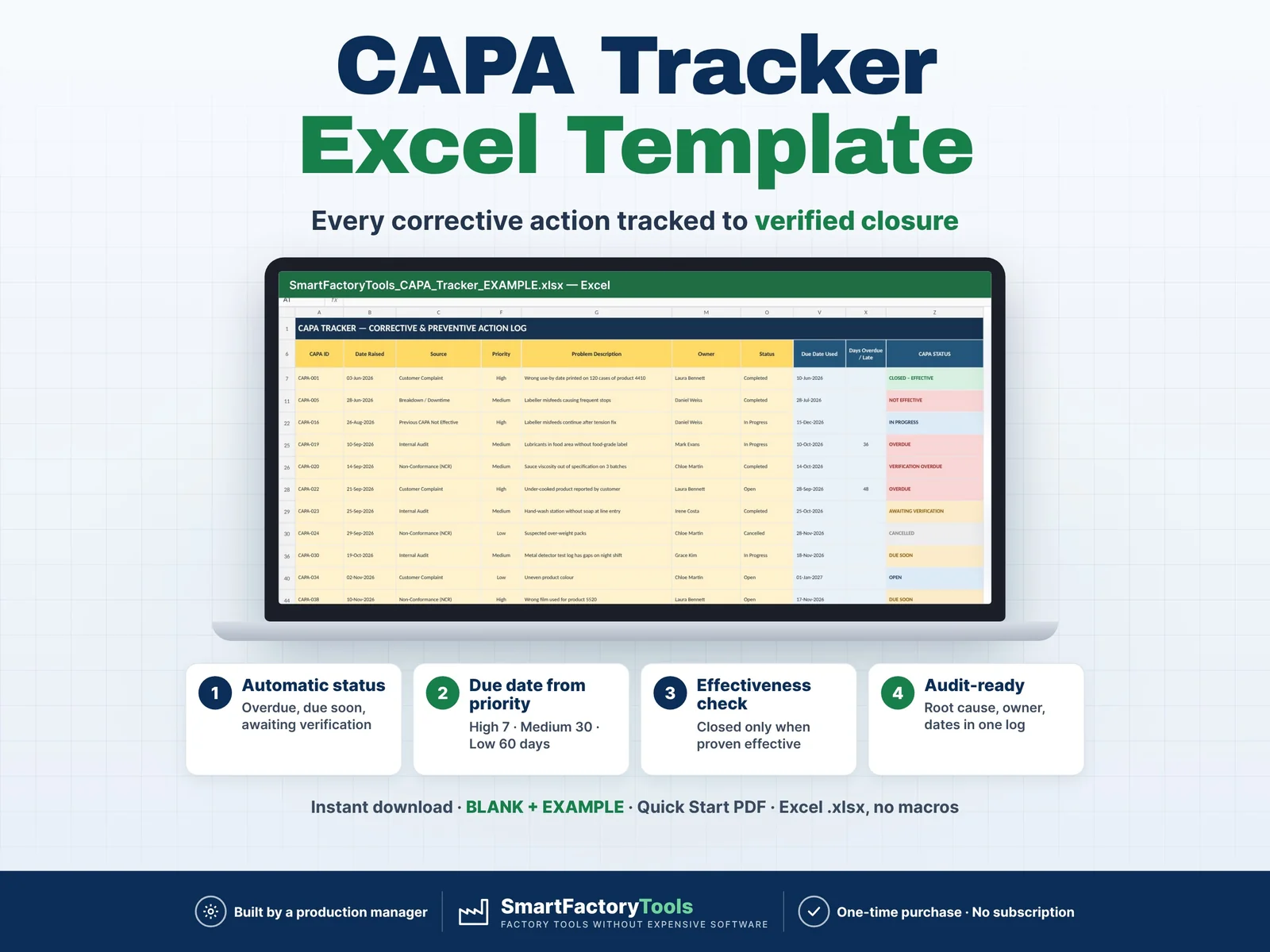
Related SmartFactoryTools templates: CAPA Tracker (Corrective & Preventive Action Log), Non-Conformance (NCR) Log & Cost Tracker, PFMEA Template, Control Plan Template.
FAQ
Can I just write the cause and print a 5 Why?
You can use the printable worksheet for that. The Excel toolkit is made for complete investigations that you need to prove to a customer or auditor.
What counts as "Confirmed"?
A cause proven with evidence – a measurement, technical check, experiment, production record or a reproduced problem. An opinion stays "Possible".
What if the problem comes back?
Set the action to "not effective", add a new action and reopen the case.
Can I use it in Google Sheets?
No. It is built and tested for Microsoft Excel 2016 or newer on a computer.
DIGITAL DOWNLOAD
This is a digital product – nothing is shipped. After purchase, download the ZIP from Etsy (Purchases and reviews) on a computer, unzip it and start with the User Guide and the EXAMPLE file.
LICENSE
For use in your own company or organization (any number of sites and users). Reselling, sharing or uploading the template elsewhere is not permitted. The printable worksheet may be copied inside your organization. © SmartFactoryTools · SKU SFT-RCA-01
 Lean & Continuous Improvement