Skip to content
SmartFactoryTools
Temperature Monitoring Log – main listing image

Food Safety

Temperature Monitoring Log

Keep fridge, freezer, cold room and hot-holding temperatures in one Excel log – every reading checked against your limits, out-of-range readings followed up, missing readings visible, and a printable month sheet per unit.

€12.99

SKU: SFT-TEMP-01 · Digital download (Microsoft Excel)

View on Etsy

Purchase and download through Etsy. Opens in a new tab.

Key features

  • Up to 40 units – fridges, freezers, cold rooms, display chillers, hot holding – each with its own min / max limit
  • 1 to 6 readings per unit and day, on open days or every day (holidays and closed days excluded)
  • Every reading checked at once: OK · TOO LOW · TOO HIGH
  • Out of range: action taken → re-check temperature → product assessment – the issue is Closed only when all three are done
  • Limits changed? Enter new limits with a valid-from date – older readings keep the old limits
  • Month sheet per unit: up to 6 readings per day, red = outside the limit, amber = missing, lowest / highest / average, signature lines – ready to print
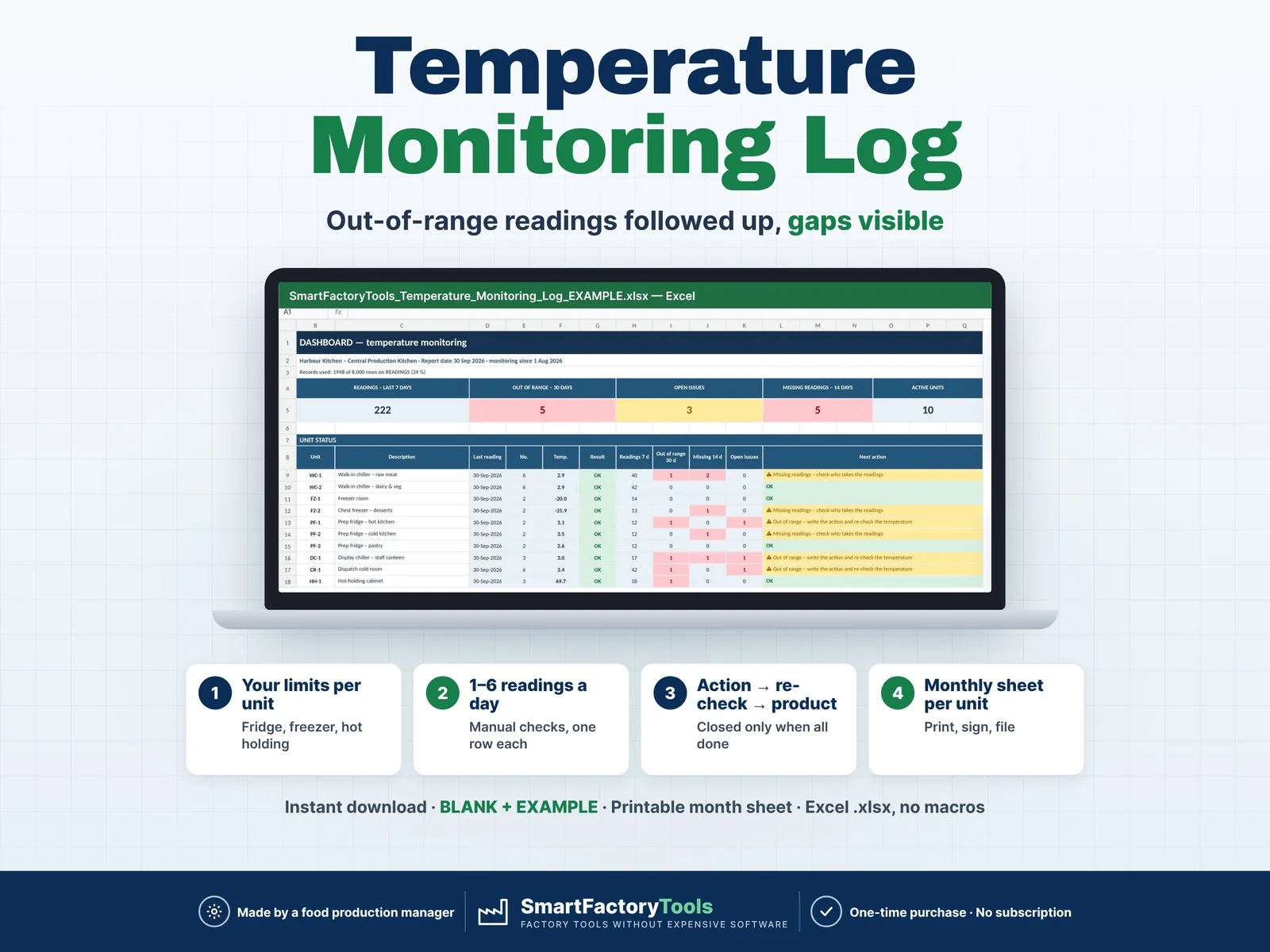
  • Dashboard: last reading and result per unit, next action, readings in 7 days, out of range in 30 days, open issues
  • Missing-reading matrix: readings done per unit and day vs required for the last 14 days
  • Check column on every row: wrong or incomplete entries flagged, duplicates detected
  • Records used indicator (8,000 readings per file) and an archiving procedure in the FAQ

Main benefits

  • Your own limits per unit – fridge, freezer, hot holding
  • 1–6 readings a day, one row each
  • Out of range → action → re-check → product decision
  • Instant download: BLANK + EXAMPLE · Printable month sheet
  • Built by a food production manager · one-time purchase, no subscription, no macros
  • Up to 40 units – fridges, freezers, cold rooms, display chillers, hot holding – each with its own min / max limit
  • 1 to 6 readings per unit and day, on open days or every day (holidays and closed days excluded)
  • Every reading checked at once: OK · TOO LOW · TOO HIGH
  • Out of range: action taken → re-check temperature → product assessment – the issue is Closed only when all three are done
  • Limits changed? Enter new limits with a valid-from date – older readings keep the old limits
  • Month sheet per unit: up to 6 readings per day, red = outside the limit, amber = missing, lowest / highest / average, signature lines – ready to print
  • Dashboard: last reading and result per unit, next action, readings in 7 days, out of range in 30 days, open issues
  • Missing-reading matrix: readings done per unit and day vs required for the last 14 days
  • Check column on every row: wrong or incomplete entries flagged, duplicates detected
  • Records used indicator (8,000 readings per file) and an archiving procedure in the FAQ

Who this tool is for

  • Food manufacturers and central production kitchens
  • Restaurants, caterers and canteens
  • Food warehouses and dispatch stores
  • QA, kitchen and production managers

How it works

  • 1. SETUP (5 minutes) – site, open weekdays, closed dates, people, °C or °F label
  • 2. UNITS – unit ID, description, min / max, readings per day (1–6), open days or every day
  • 3. READINGS – one row per reading: date, reading no., unit, temperature, checked by
  • 4. Out of range – action, re-check temperature and product assessment on the same row
  • 5. DASHBOARD – status and next action per unit, missing readings
  • 6. MONTH_SHEET – choose unit and month, print, sign, file
  • Example: walk-in chiller, limit 0 to 4 °C, reading 4 = 6.8 °C → TOO HIGH → door seal replaced, re-check 3.2 °C, product checked – OK → Closed.

What's included

  • Temperature Monitoring Log BLANK workbook (.xlsx) – for your own data
  • EXAMPLE workbook (.xlsx) – fictional central kitchen, 10 units, two months of readings
  • Quick Start Guide (PDF, 2 pages)
  • Printable blank month sheet (PDF, A4) – for the unit door
  • Sheets: START_HERE · SETUP · UNITS · READINGS · MONTH_SHEET · DASHBOARD · FAQ · LICENSE

Software requirements

  • Requires Microsoft Excel 2016 or newer on a computer (Windows or Mac). Not for Google Sheets, Apple Numbers or Excel mobile apps.

Important limitations

  • A log for periodic MANUAL readings (up to 6 per unit and day) – not continuous monitoring, no data-logger import, no alarms.
  • Limits are the ones you enter (your HACCP plan, legal or customer requirements). °C or °F – limits and readings in the same unit, no conversion.
  • Manual readings cannot show how long a unit was out of range – assess the product for the time since the last OK reading.
  • An Excel file: no audit trail or electronic signatures.
  • 40 units · 8,000 readings per file (e.g. 5 cold rooms × 6 readings a day ≈ 9 months).
  • For critical control points see the SmartFactoryTools HACCP CCP Monitoring Log; for thermometers the Calibration Tracker.
Full product description

Keep fridge, freezer, cold room and hot-holding temperatures in one Excel log – every reading checked against your limits, out-of-range readings followed up, missing readings visible, and a printable month sheet per unit.

  • Your own limits per unit – fridge, freezer, hot holding
  • 1–6 readings a day, one row each
  • Out of range → action → re-check → product decision
  • Instant download: BLANK + EXAMPLE · Printable month sheet
  • Built by a food production manager · one-time purchase, no subscription, no macros

▶ Requires Microsoft Excel 2016 or newer on a computer (Windows or Mac). Not for Google Sheets, Apple Numbers or Excel mobile apps.

Paper temperature sheets on the unit doors are easy to fill and hard to control: a high reading is written down but nobody acts, a missing morning check is noticed only at the inspection, and nobody sees which unit keeps drifting. This Temperature Monitoring Log keeps every reading in one place. Register your units once, then enter each reading – date, reading no., unit, temperature. Excel checks it against the limit at once and tells you what to do next.

Built by a production manager from food manufacturing – it takes up to 6 readings a day per unit, as many food plants do for their cold rooms.

WHAT IT DOES

  • Up to 40 units – fridges, freezers, cold rooms, display chillers, hot holding – each with its own min / max limit
  • 1 to 6 readings per unit and day, on open days or every day (holidays and closed days excluded)
  • Every reading checked at once: OK · TOO LOW · TOO HIGH
  • Out of range: action taken → re-check temperature → product assessment – the issue is Closed only when all three are done
  • Limits changed? Enter new limits with a valid-from date – older readings keep the old limits
  • Month sheet per unit: up to 6 readings per day, red = outside the limit, amber = missing, lowest / highest / average, signature lines – ready to print
  • Dashboard: last reading and result per unit, next action, readings in 7 days, out of range in 30 days, open issues
  • Missing-reading matrix: readings done per unit and day vs required for the last 14 days
  • Check column on every row: wrong or incomplete entries flagged, duplicates detected
  • Records used indicator (8,000 readings per file) and an archiving procedure in the FAQ

WHAT'S INCLUDED

  • Temperature Monitoring Log BLANK workbook (.xlsx) – for your own data
  • EXAMPLE workbook (.xlsx) – fictional central kitchen, 10 units, two months of readings
  • Quick Start Guide (PDF, 2 pages)
  • Printable blank month sheet (PDF, A4) – for the unit door

Sheets: START_HERE · SETUP · UNITS · READINGS · MONTH_SHEET · DASHBOARD · FAQ · LICENSE

HOW IT WORKS

  1. SETUP (5 minutes) – site, open weekdays, closed dates, people, °C or °F label
  2. UNITS – unit ID, description, min / max, readings per day (1–6), open days or every day
  3. READINGS – one row per reading: date, reading no., unit, temperature, checked by
  4. Out of range – action, re-check temperature and product assessment on the same row
  5. DASHBOARD – status and next action per unit, missing readings
  6. MONTH_SHEET – choose unit and month, print, sign, file

Example: walk-in chiller, limit 0 to 4 °C, reading 4 = 6.8 °C → TOO HIGH → door seal replaced, re-check 3.2 °C, product checked – OK → Closed.

WHO IT'S FOR

  • Food manufacturers and central production kitchens
  • Restaurants, caterers and canteens
  • Food warehouses and dispatch stores
  • QA, kitchen and production managers

LIMITS – PLEASE READ

  • A log for periodic MANUAL readings (up to 6 per unit and day) – not continuous monitoring, no data-logger import, no alarms.
  • Limits are the ones you enter (your HACCP plan, legal or customer requirements). °C or °F – limits and readings in the same unit, no conversion.
  • Manual readings cannot show how long a unit was out of range – assess the product for the time since the last OK reading.
  • An Excel file: no audit trail or electronic signatures.
  • 40 units · 8,000 readings per file (e.g. 5 cold rooms × 6 readings a day ≈ 9 months).
  • For critical control points see the SmartFactoryTools HACCP CCP Monitoring Log; for thermometers the Calibration Tracker.

FAQ

Q: Can I use °F?

A: Yes – write °F on SETUP and enter limits and readings in °F.

Q: I measured again after an action – new row?

A: No – enter it in 'Re-check temp.' of the same row.

Q: Our limit changed – will old readings turn red?

A: No – enter the new limit with its valid-from date; older readings keep the old limit.

Q: Does it work in Google Sheets?

A: No. Built and tested for Microsoft Excel 2016 or newer on a computer.

DIGITAL DOWNLOAD

This is an instant digital download – no physical item will be shipped. After purchase you receive one ZIP file with the workbooks and PDFs. Colours and layout on your screen may differ slightly from the listing images.

LICENSE

For use in your own company or organisation. Resale, sharing or redistribution of the files is not permitted.

© SmartFactoryTools – Factory tools without expensive software.
Related tools

Takt Time & Line Balancing Calculator – main listing imageLean & Continuous Improvement

Takt Time & Line Balancing Calculator

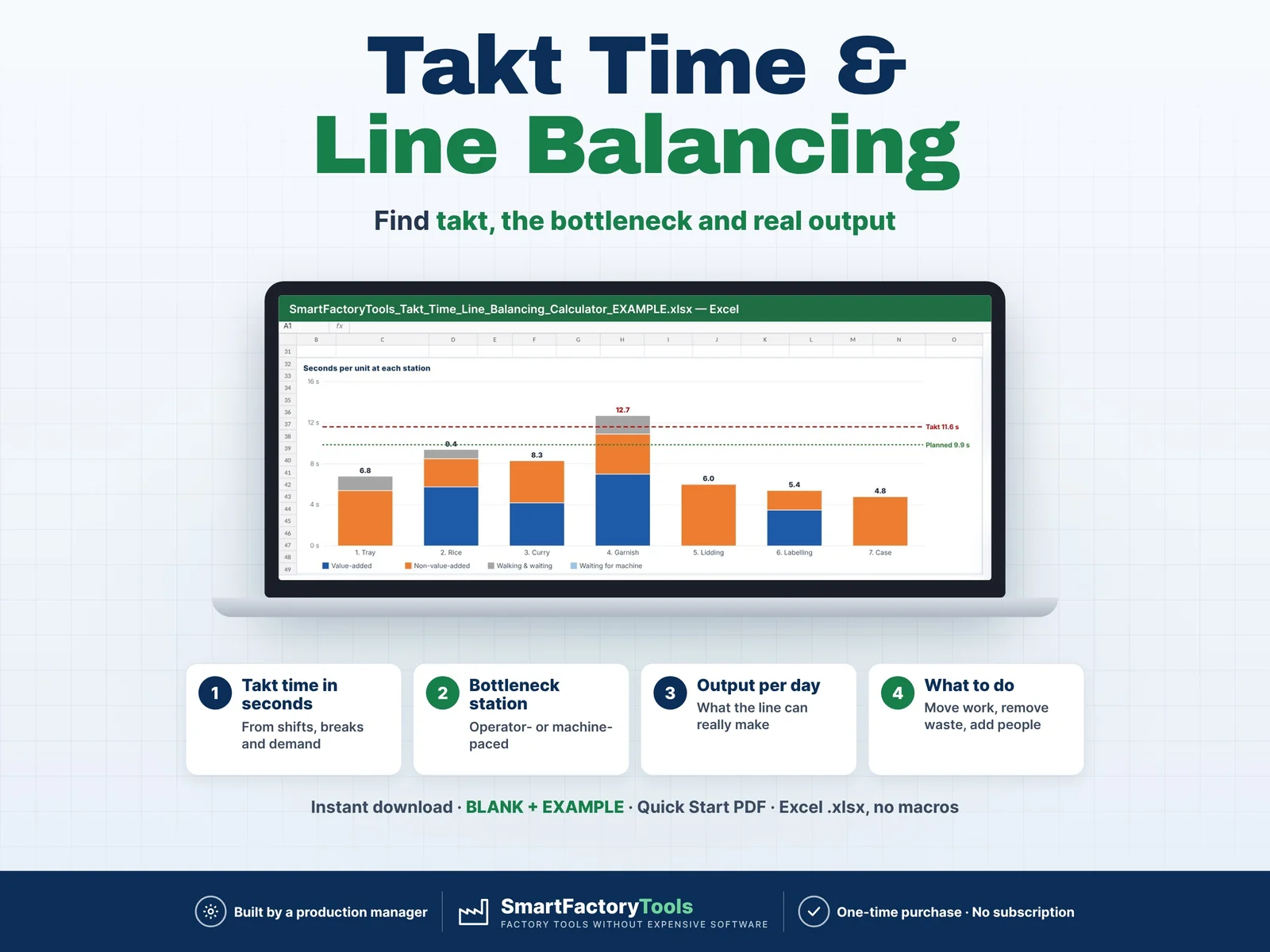
Enter your shifts, customer demand and the task times of each station – Excel calculates takt time, finds the bottleneck, shows what the line can really make per day and tells you where to move work.

€7.99

View details
CAPA Tracker – main listing imageQuality Management

CAPA Tracker

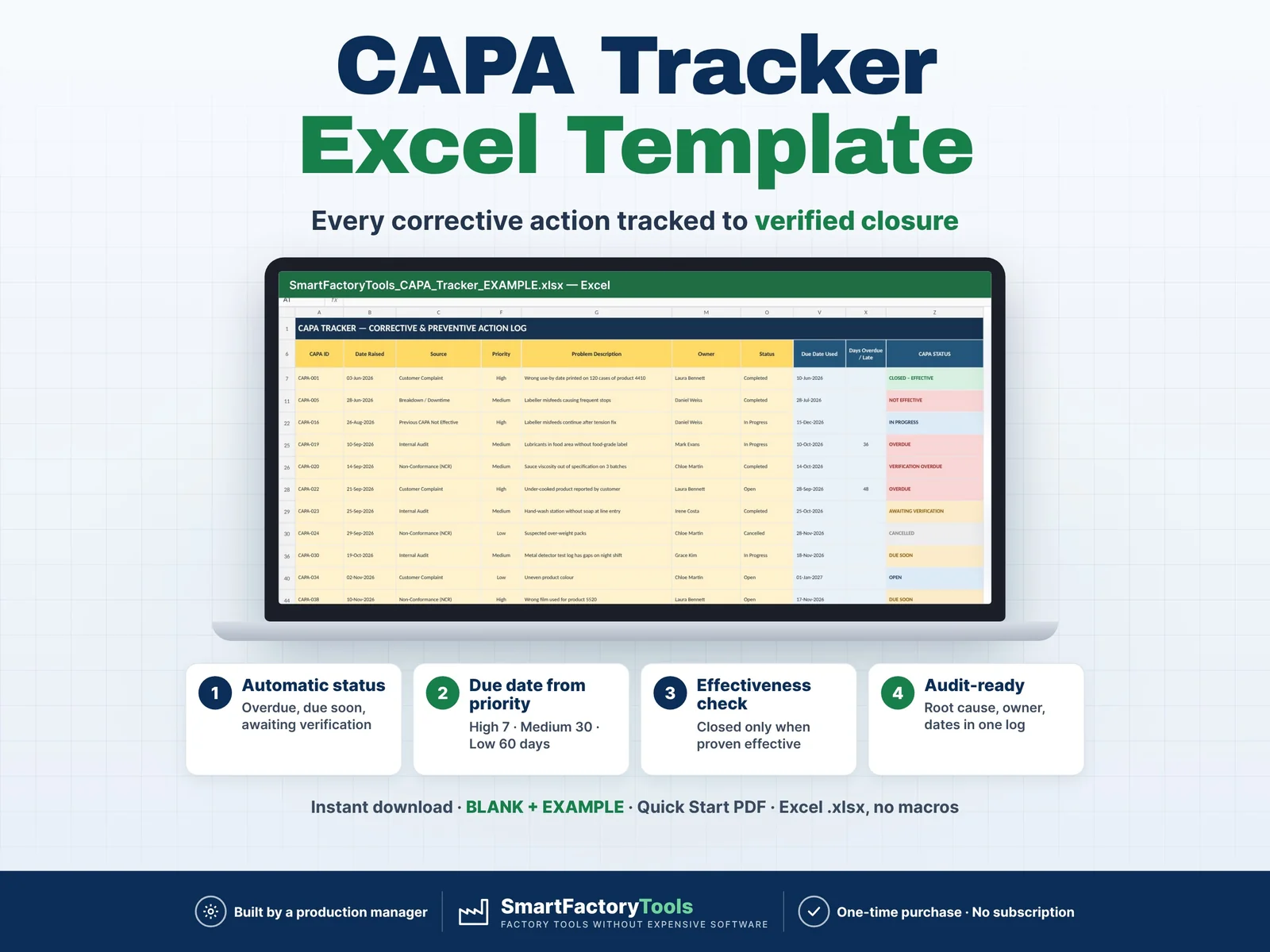
Track every corrective and preventive action from problem to verified closure — and be ready for your next audit.

€9.99

View details
5S Audit Checklist & Score Tracker – main listing imageLean & Continuous Improvement

5S Audit Checklist & Score Tracker

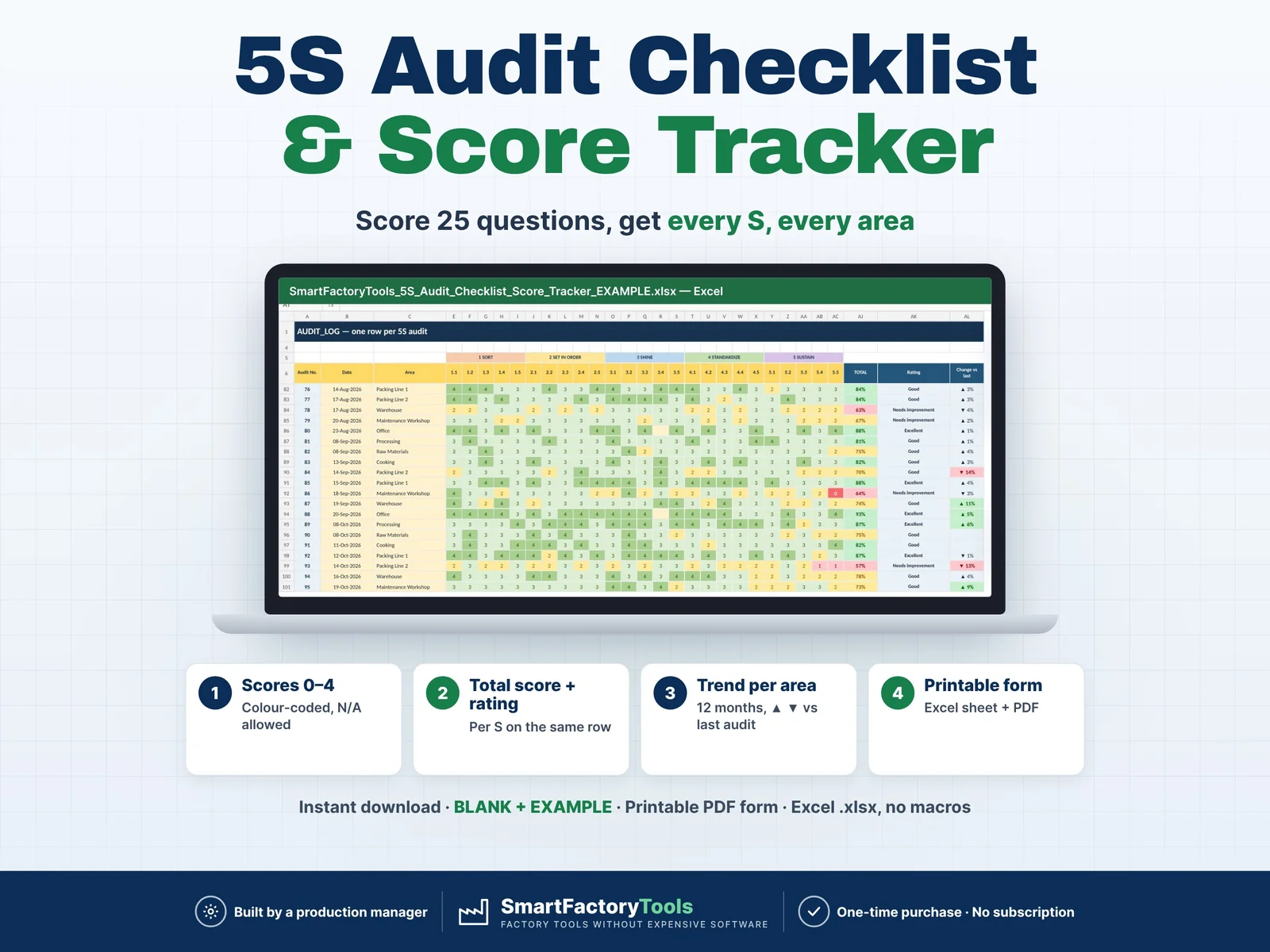
Score every area with the same 25 questions — Excel calculates the score per S, the total, the trend per area and the weakest S for you. Printable audit form included.

€9.99

View details